



Cinema Bokeh Portrait
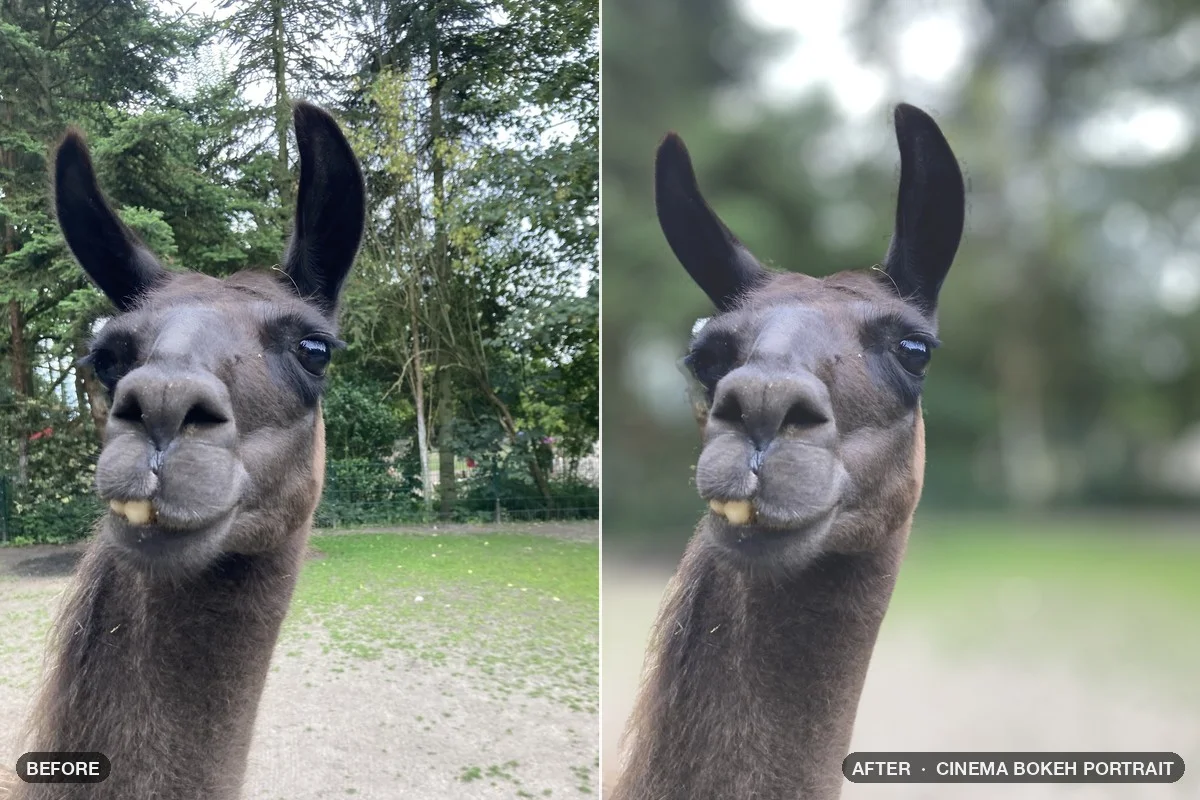
The depth map sets a focus plane, and Lens Blur turns everything behind it into soft bokeh. A subject mask keeps the edges clean.
Download patch Cinema Bokeh Portrait .nodra · 47 KBInfinite Nodra · Mac app
A node-based photo editor for the Mac. Build a look once, change any step at any time, run it on a whole shoot – and take it straight into Photoshop.
Nodra runs on Macs with Apple silicon – not on Windows and not on Intel Macs.
Prices in your local currency. Sold by our reseller FastSpring (merchant of record), which handles taxes such as VAT in the checkout · Terms of sale


You spend an afternoon perfecting a look in Photoshop. You record an action – and the next shoot needs it a little different. Six months later the client asks for the same look again, and you’re trying to remember what you actually did.
Nodra is built around one idea: an edit should be a recipe you can open, change and run again. In Nodra we call that recipe a patch.
10-minute introduction
Infinite Nodra is a Mac app built around a simple idea: an edit shouldn’t be a stack of things you did once. It should be a recipe you can open, change and run again whenever you want.
Then learn it step by step: the 15-part Infinite Nodra Academy takes you from your first patch to a finished delivery – the basics and your first look, masks and AI, and reuse and delivery. Each part is around a minute and a half.

Plays via YouTube (Google) – nothing loads before your click. Watch on YouTube : Infinite Nodra – Photo editing as a recipe you can open, change and run again
What a node is, how a cable carries the image from one node to the next, and how to export with one click.
A Smart Crop node finds the face by itself and builds the crop around it. The AI nodes run locally.
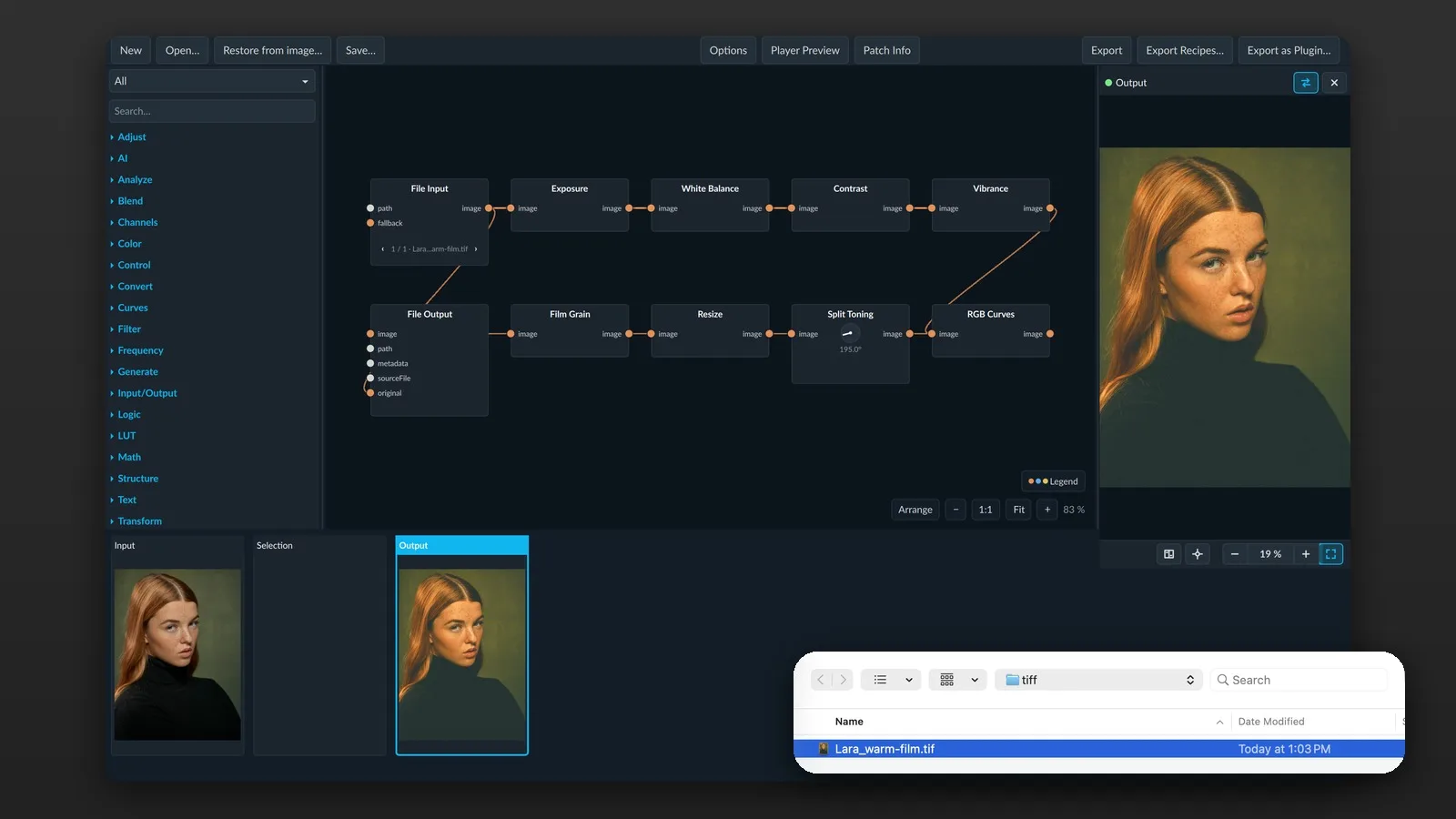
Exposure, White Balance, Contrast and Vibrance – and why nothing is baked in: change any step at any time.
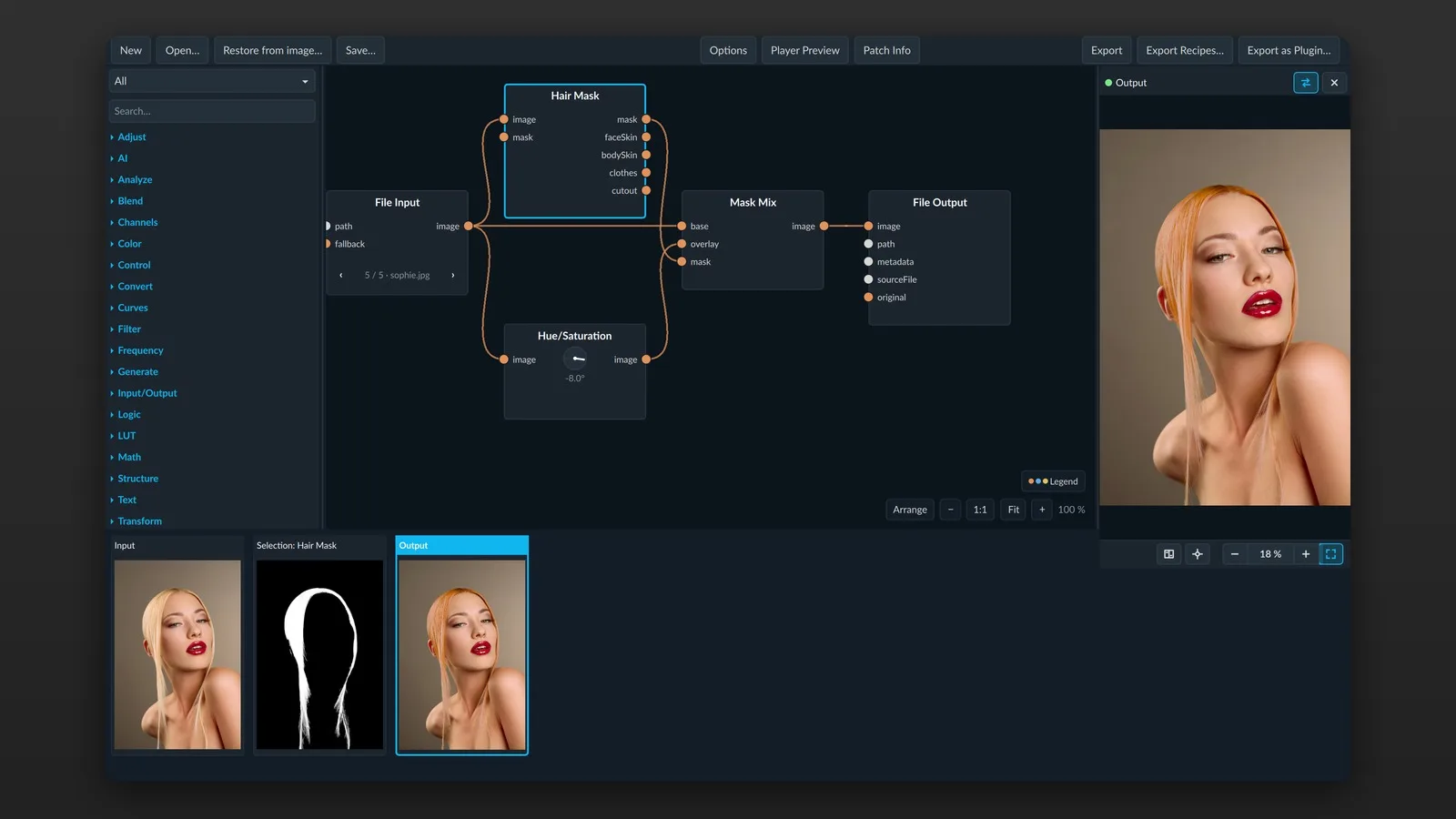
A patch is made of small building blocks called nodes. Each node does one job: find the hair, bend a curve, add grain, save a file. Cables connect them, and the picture flows from left to right.
There are almost three hundred nodes, each with a manual page and an example patch you can open and try right away on your own pictures.
Nothing is baked in. On export, Nodra can save the whole patch inside the image – with TIFF, even the untouched original. No sidecar file to lose. Open it in Nodra with “Restore from image” and every node and slider returns.
Grain and noise use a seed that’s saved with the patch, so the same patch on the same photo gives you the exact same picture next year, on a different Mac.
We’re retouchers ourselves, so skin and color got a lot of our attention.
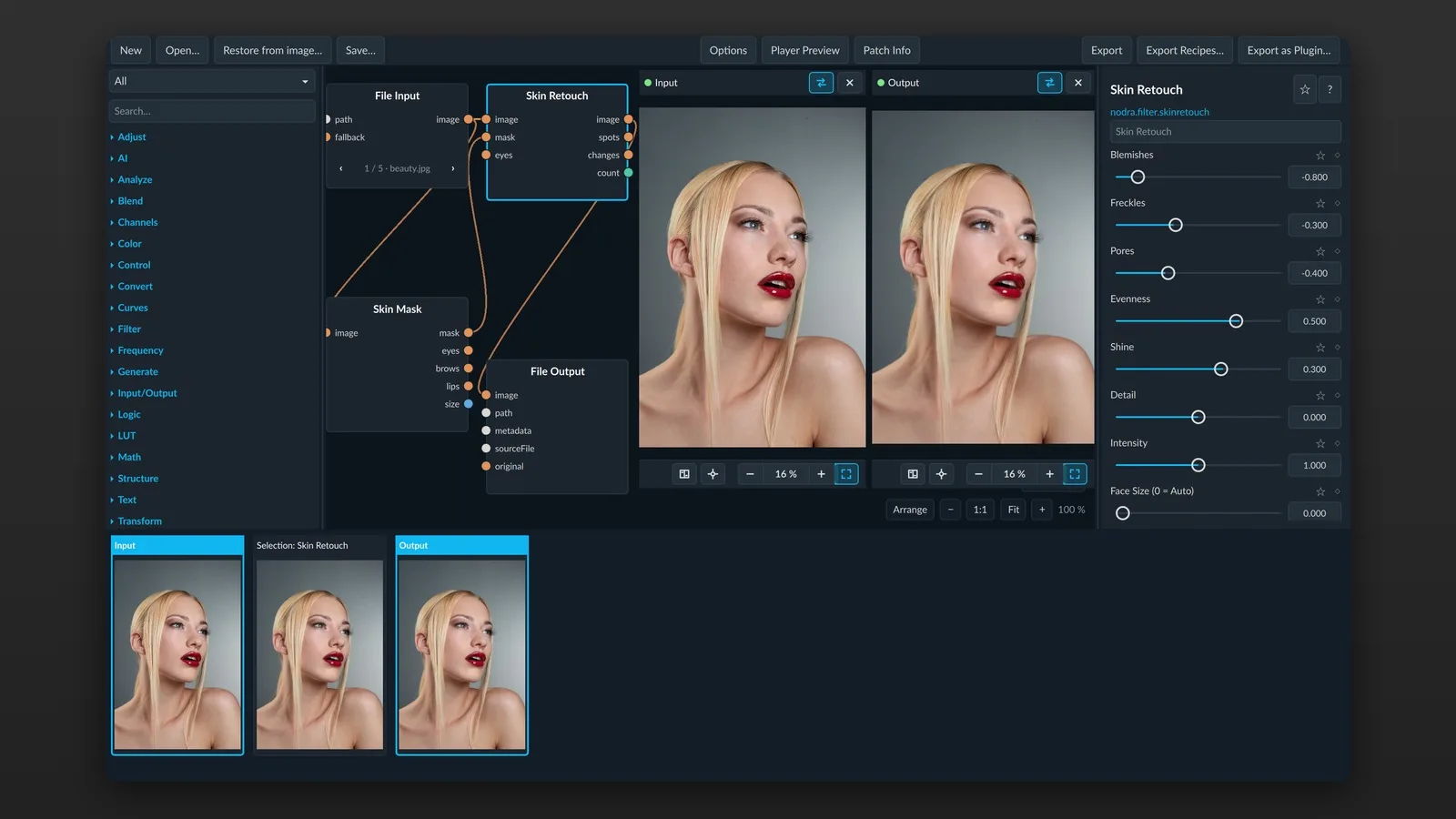
Skin Retouch heals blemishes, handles freckles separately, smooths or brings out pores, evens out the skin like a fine dodge and burn, and takes down shine. The sliders work in both directions, and the middle leaves the photo untouched. At its core isn’t an AI model guessing at the face – it’s a healing brush that picks up the color and brightness of the surrounding skin.
Face Parts gives you clean masks for skin, brows, eyes, lips, nose, hair, ears and neck.
Nodra’s color tools can work in OKLab, which follows how your eye sees. Shift a color without dragging brightness or skin tones along – deepen a sky and leave the skin alone.


Drag the line or use the arrow keys to compare.
Nothing gets uploaded, you don’t need an account, and nobody charges you per image.
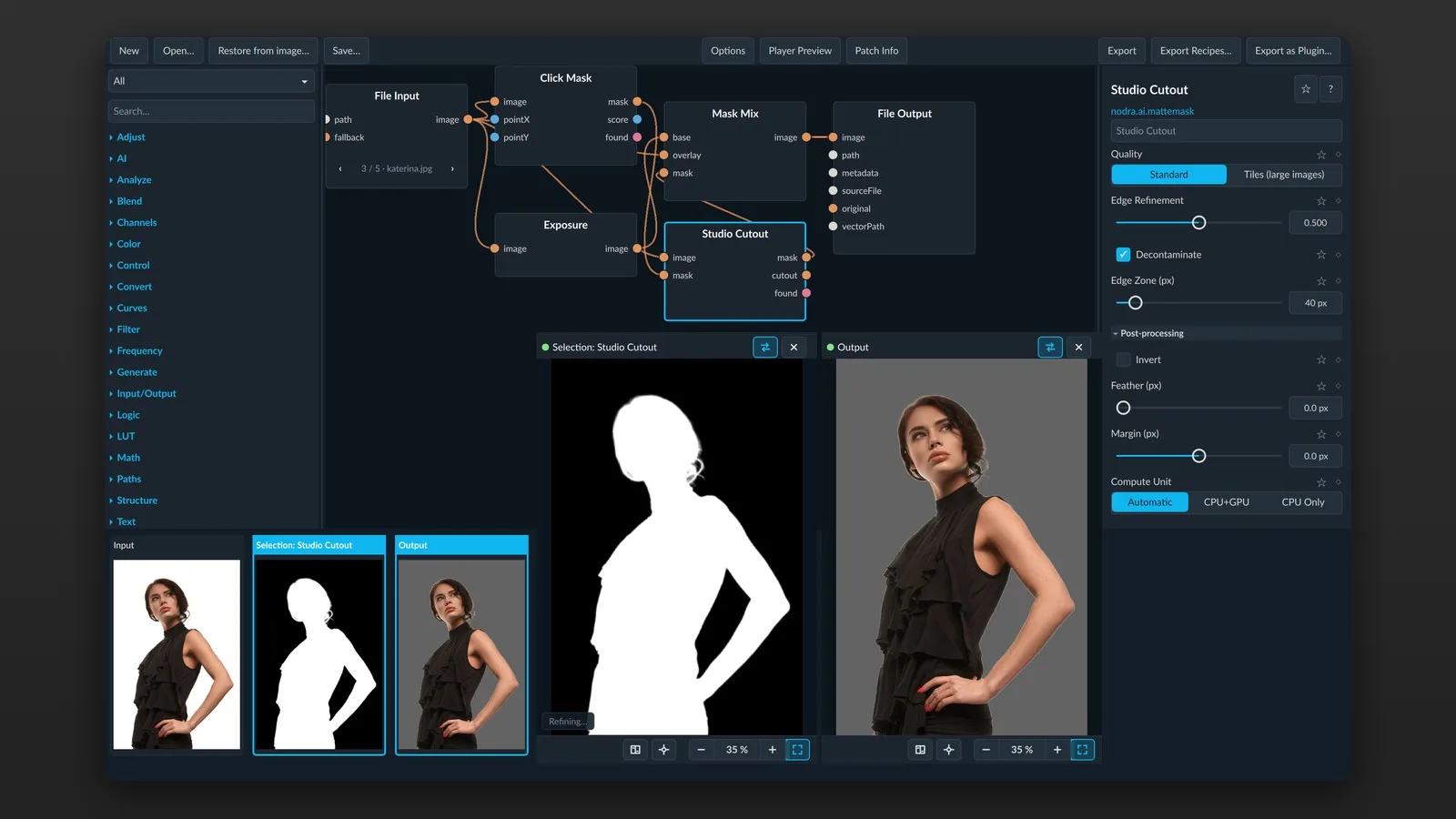
Select people, subjects, fine hair, faces, animals or sky – or just click an object. Remove things, fix noise, colorize or upscale. From a single photo, Nodra estimates depth – for lens blur, or haze in the distance. The AI nodes also tell you how sharp a shot is, so a patch can pick out the best frame of a series.
Film looks, grain, halation, printer lights. Load the LUTs you already have, tone them down or split them into curves. Save your own look as a .cube LUT for Photoshop or DaVinci Resolve, or as a profile for Lightroom and Camera Raw.
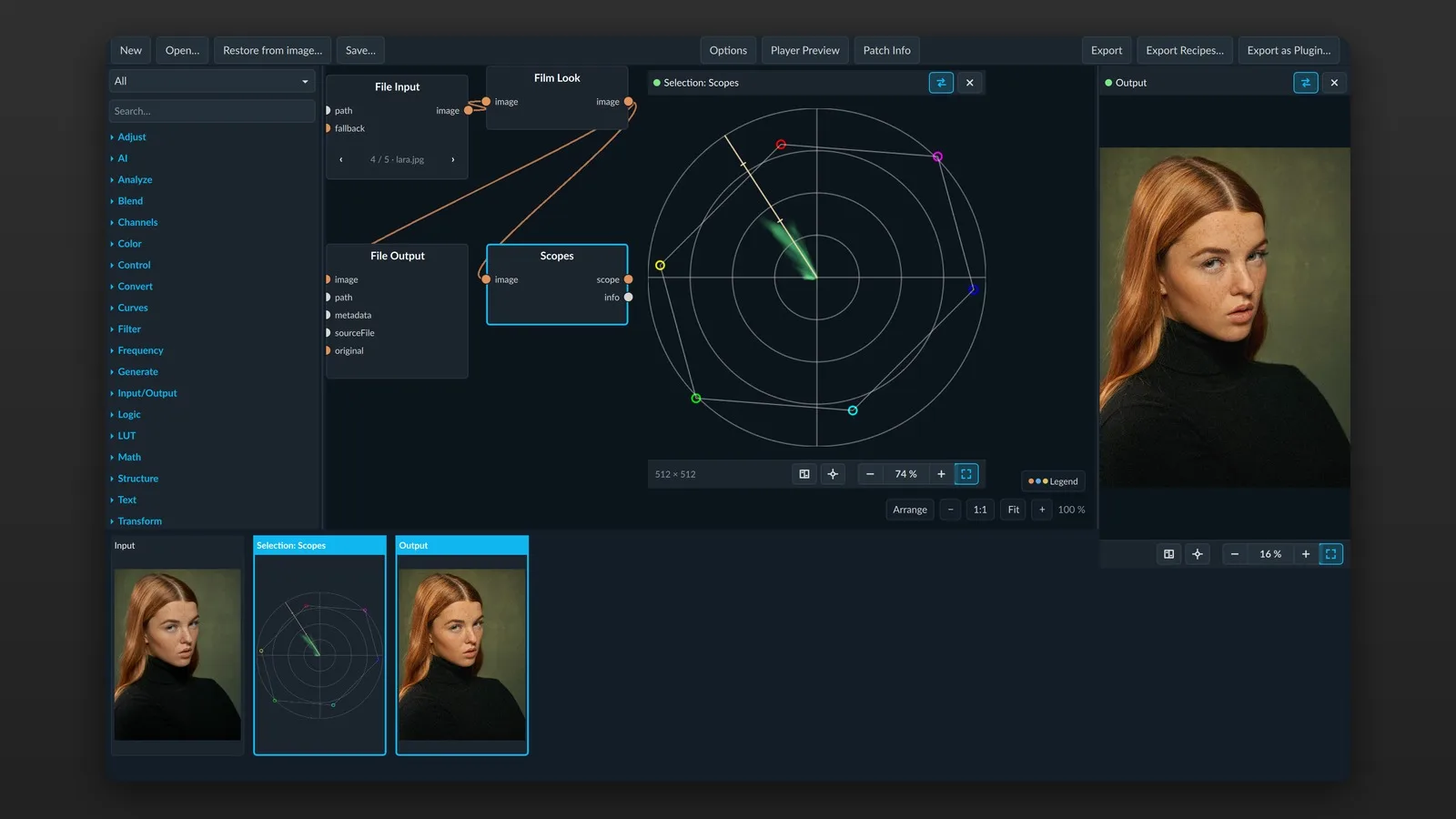
Scopes are built in: waveform, vectorscope with a skin tone line, and a 3D view of your colors.
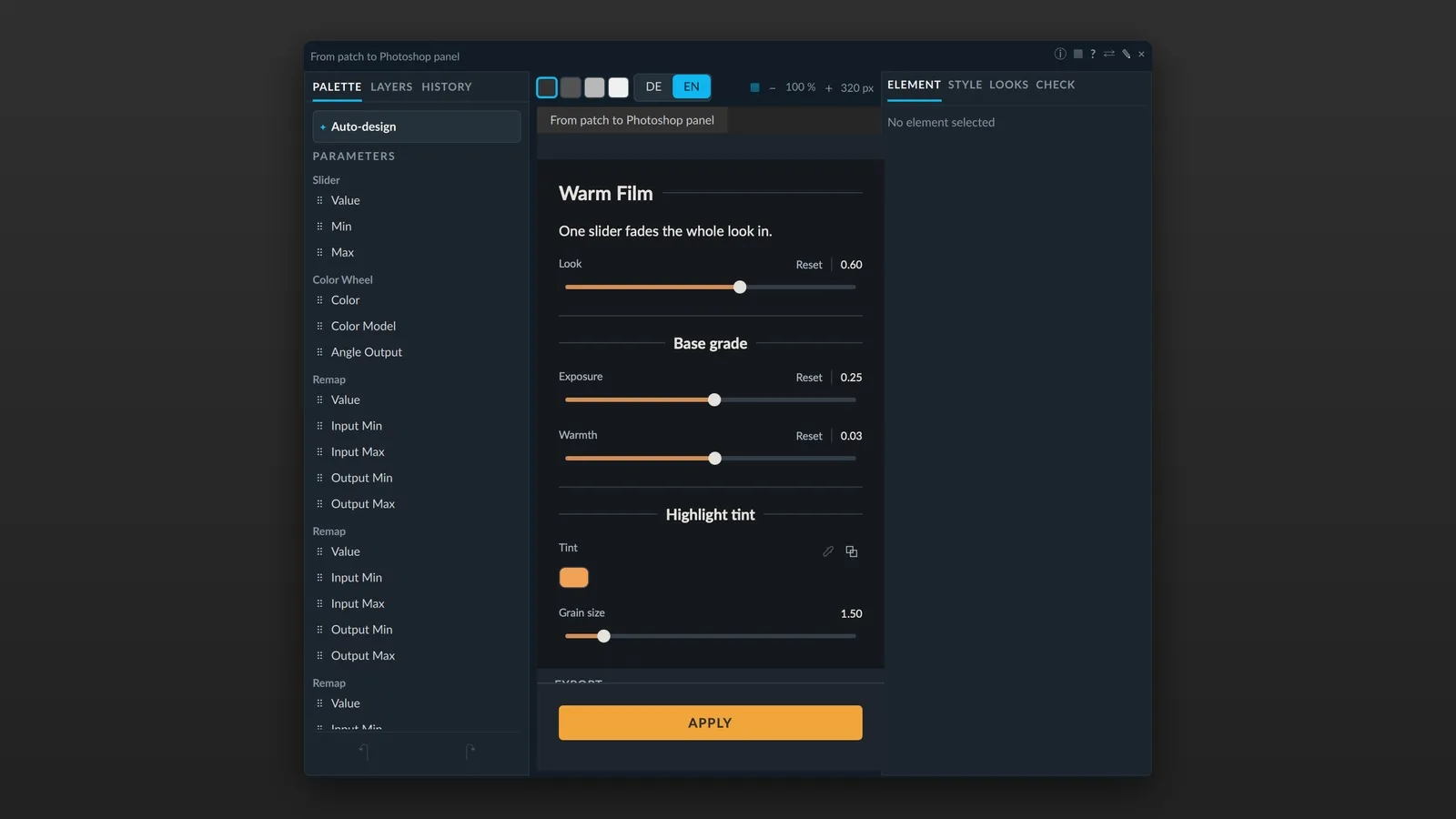
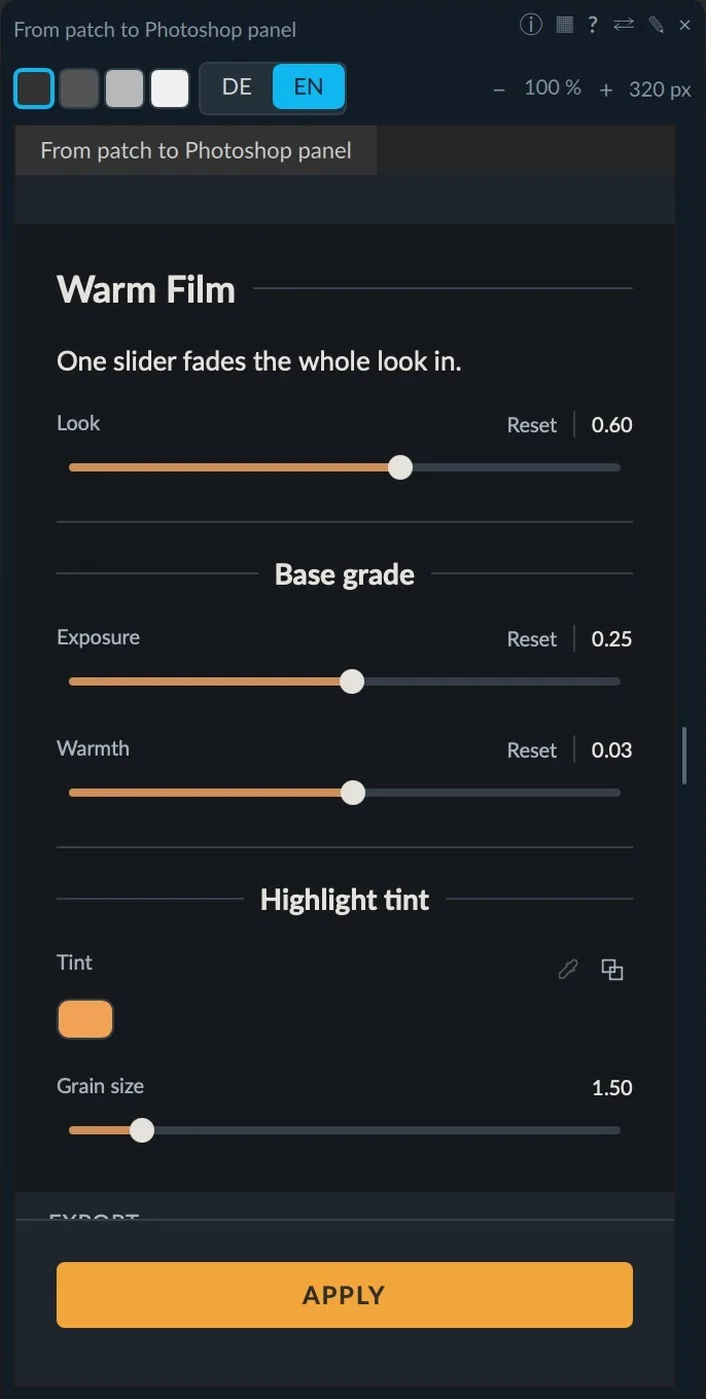
Most photographers we know basically live in Photoshop. We’re not trying to change that – Nodra brings your patches into it. Pick the few controls that matter – sliders, color wheels, curves, an eyedropper – and click “Export as Plugin”. The plugin works without Nodra on that computer, so a colleague gets your look with exactly your controls.
Just passing a look on? The free Infinite Nodra Player for Photoshop opens your patch with your controls.
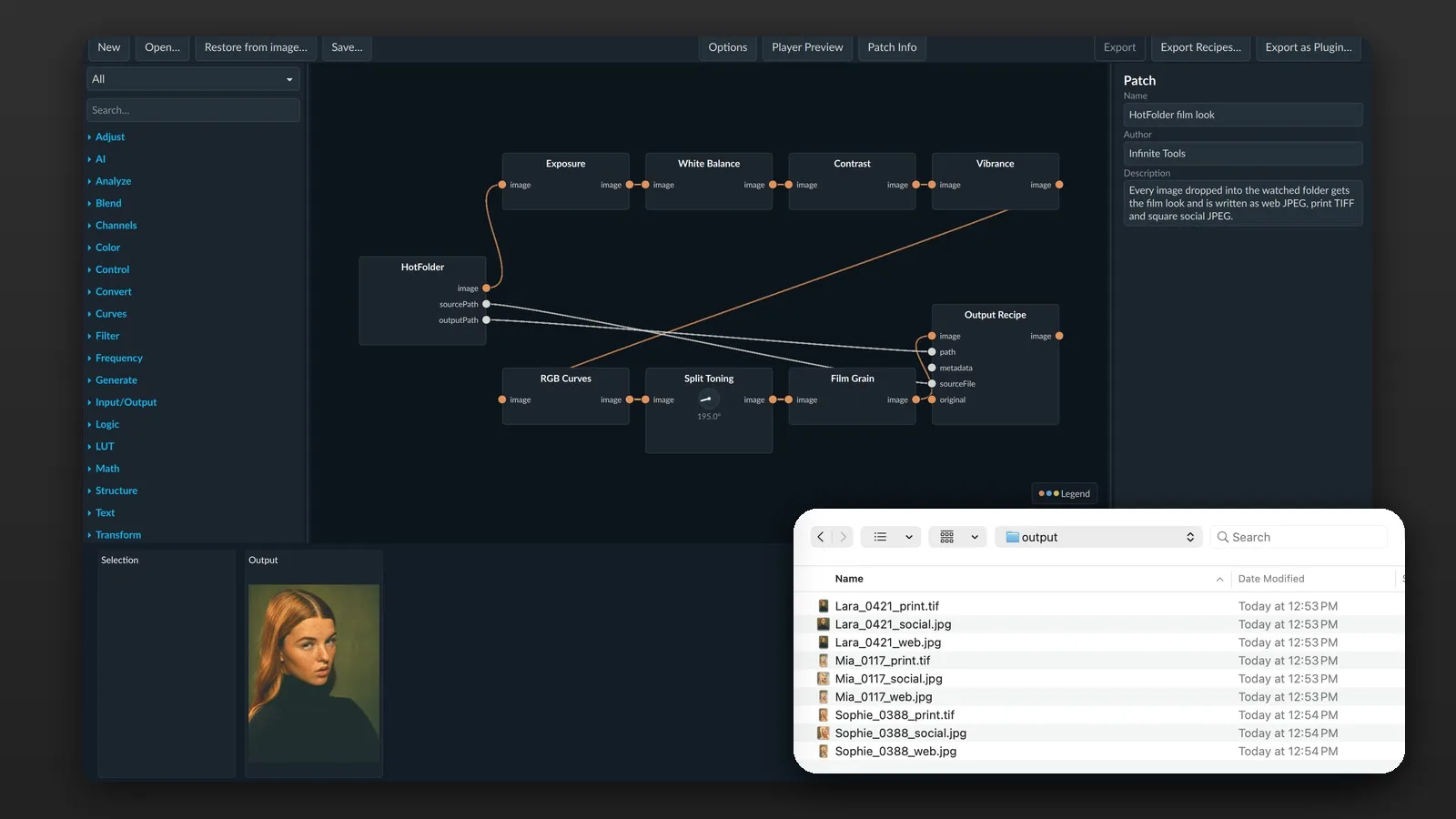
Point a patch at a hot folder, and every picture you drop in is processed and saved. One patch can write a TIFF for print, a JPEG for the web and a square version for social media at once, named after the original, with your copyright in the metadata.
Made with Infinite Nodra
Each one is a normal Nodra patch: every node and slider stays open, so you can change it for your own photos. Hover a picture to see the patch behind it, click it for a large view, or download the patch and open it in Infinite Nodra.
Nodra estimates depth from a single photo and uses it for focus, haze and light.
The depth map sets a focus plane, and Lens Blur turns everything behind it into soft bokeh. A subject mask keeps the edges clean.
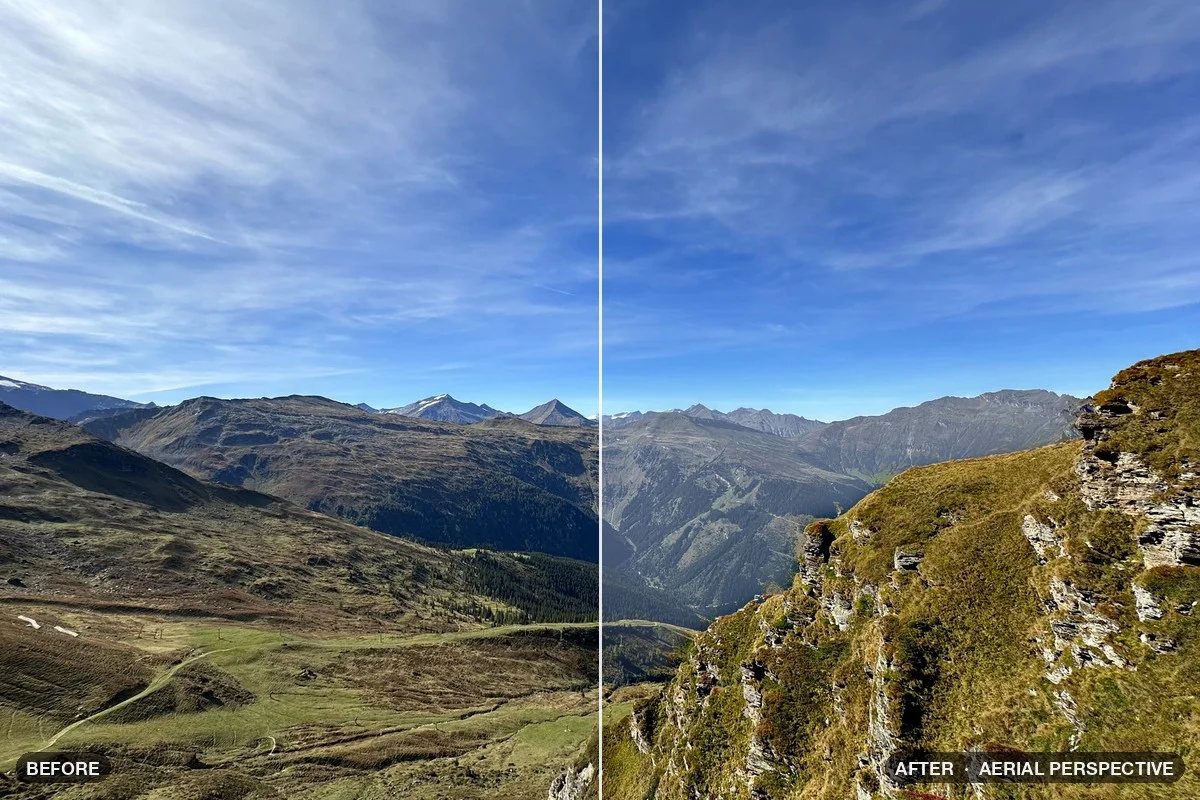
Download patch Cinema Bokeh Portrait .nodra · 47 KBHaze builds up with distance, and far colors fade in LAB the way they do in real air. The sky gets its own grade.
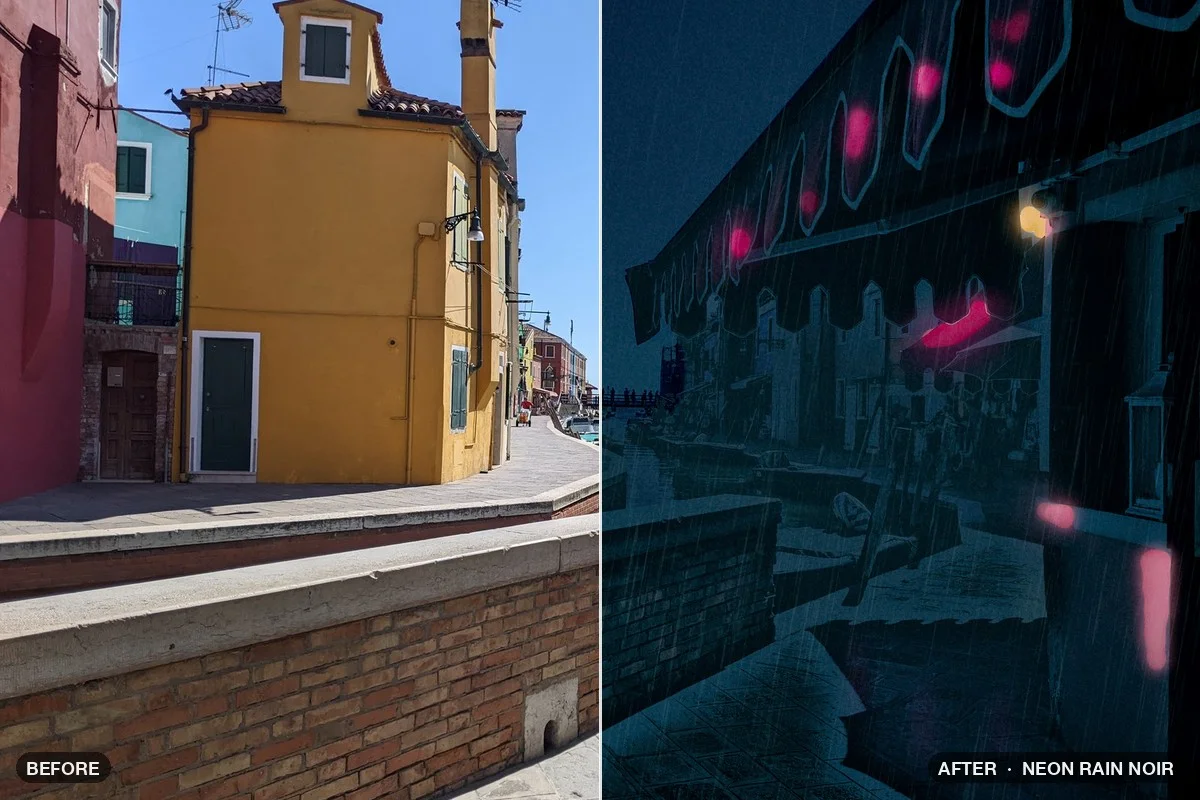
Download patch Aerial Perspective .nodra · 43 KBA city shot becomes a rainy neon night: a deep blue grade, glowing signs and windows, mist that grows with depth and soft rain.
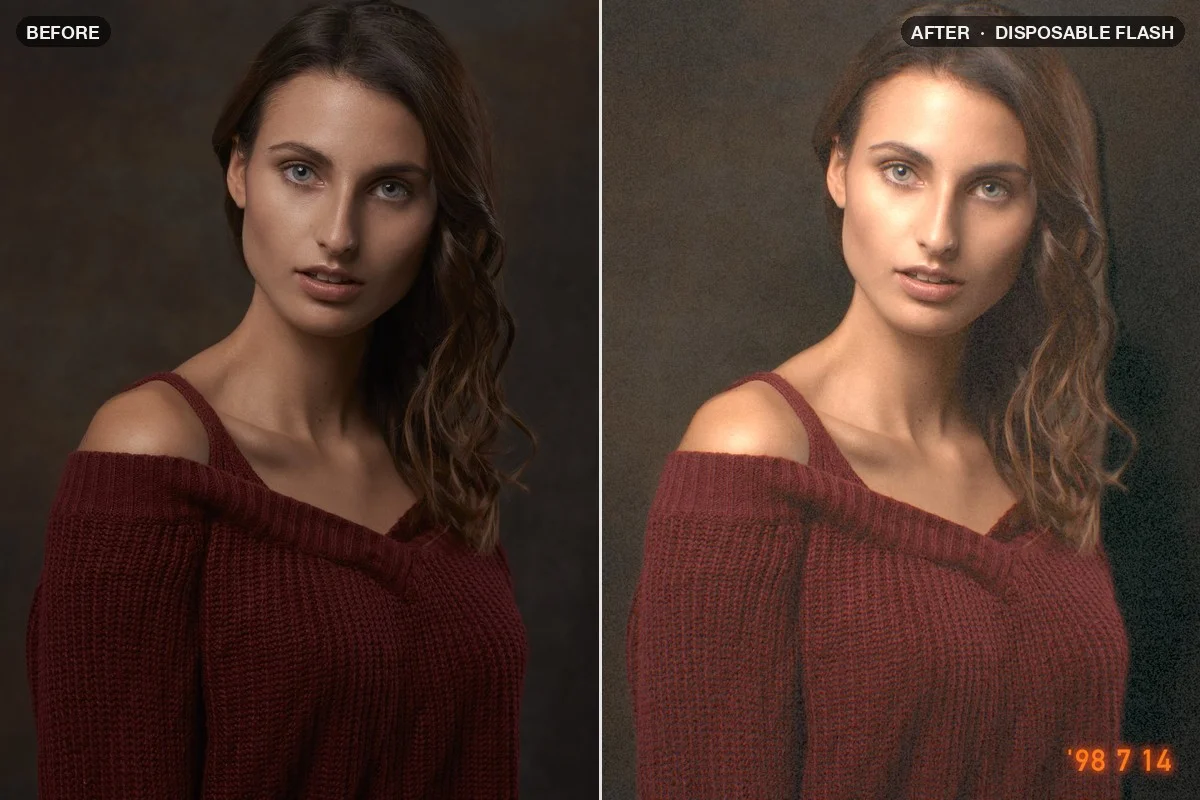
Download patch Neon Rain Noir .nodra · 106 KBA cheap film camera with direct flash: the light falls off with depth, a hard flash shadow, Kodak Gold colors and a date stamp you type yourself.
Download patch Disposable Flash .nodra · 65 KBAI masks and color spaces like LAB do what a single slider can’t.
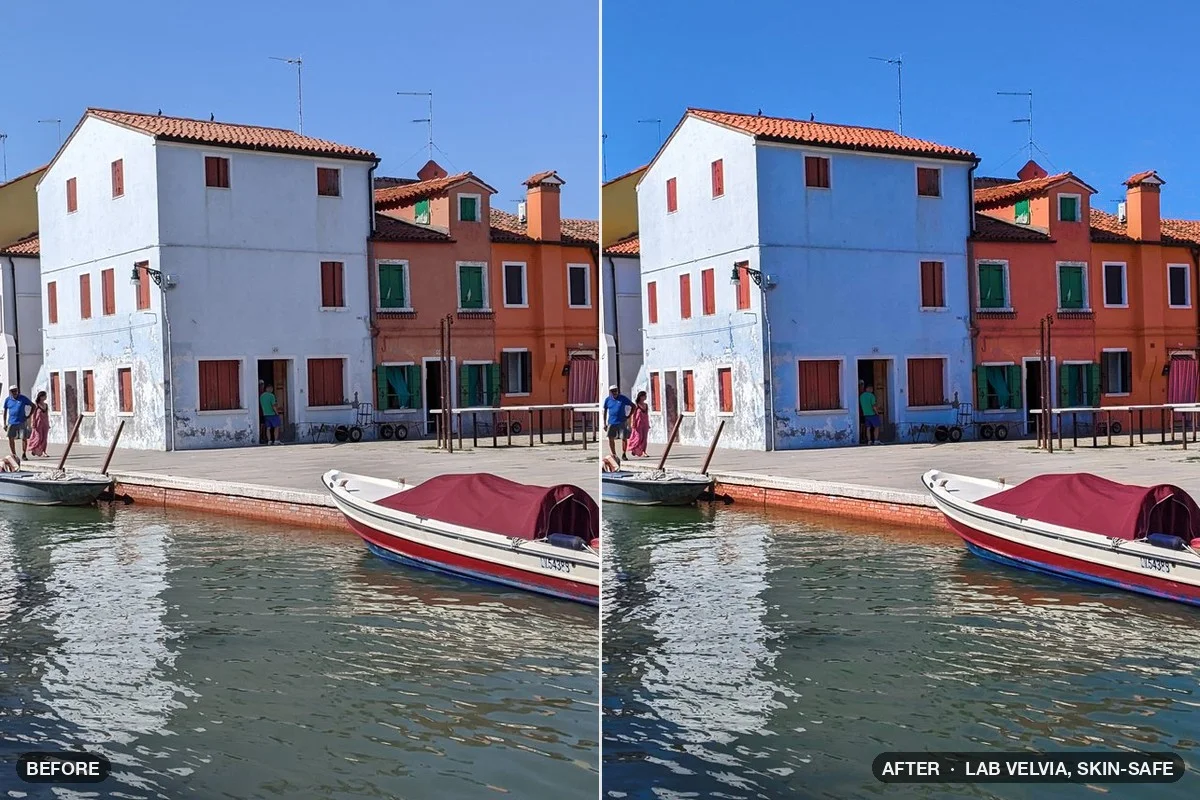
Slide-film color built in LAB: pale colors get rich, loud ones stay put, and an AI skin mask keeps faces natural.
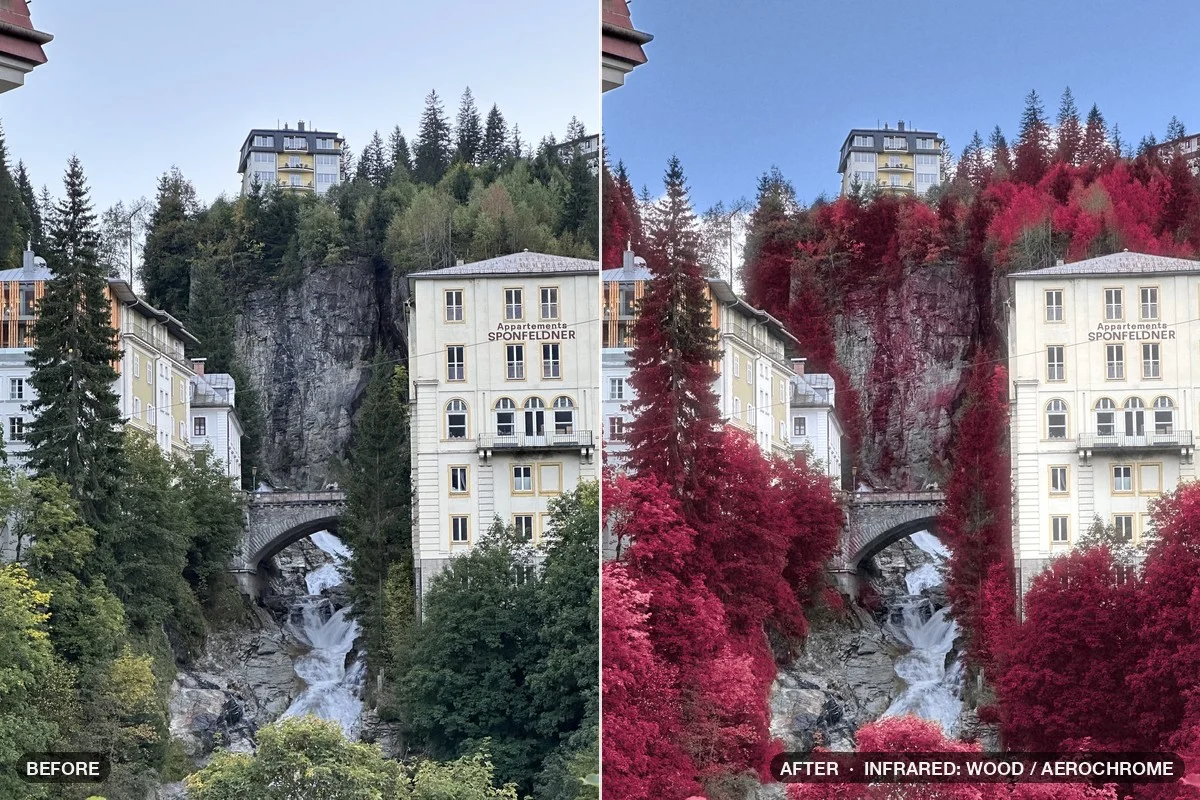
Download patch LAB Velvia, Skin-Safe .nodra · 46 KBClass masks find leaves and sky, so foliage reacts like on infrared film. One switch flips between black-and-white Wood effect and Aerochrome red.
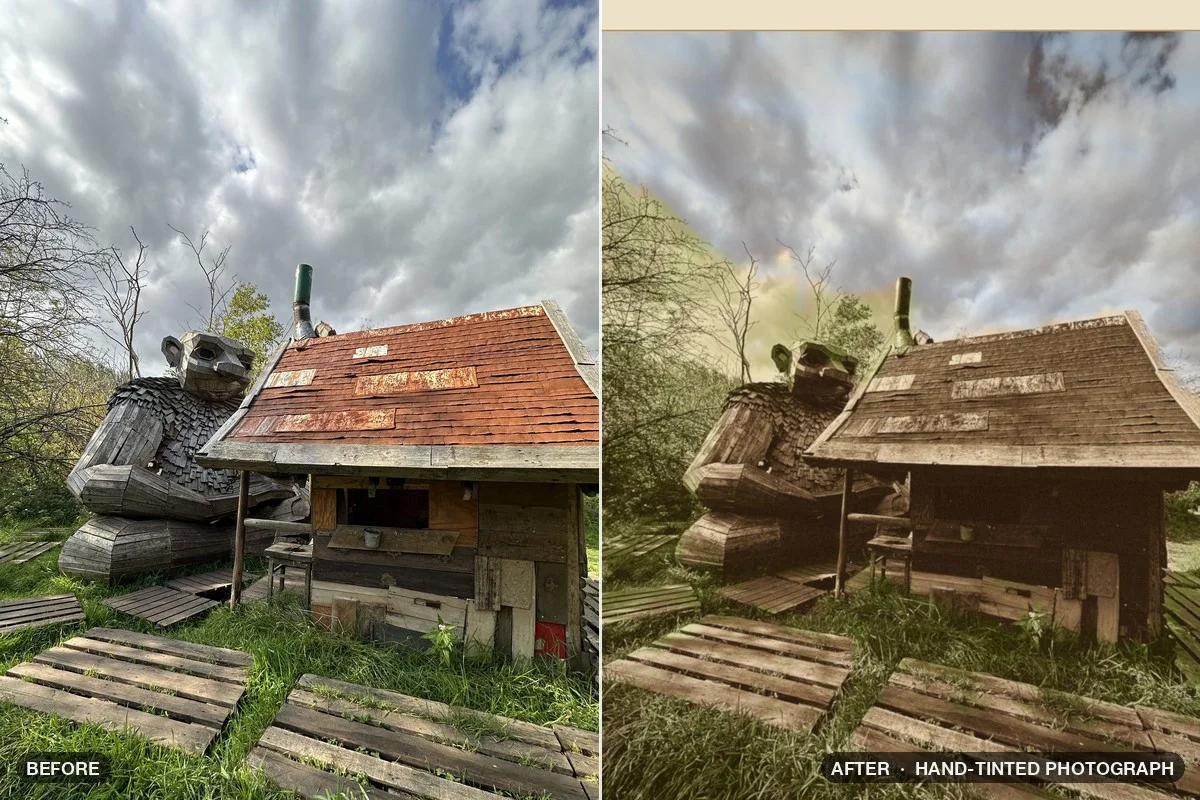
Download patch Infrared: Wood / Aerochrome .nodra · 93 KBA sepia print colored by hand: AI masks for sky, plants, cheeks and lips act as brushes, a little off the edges like real oil washes.
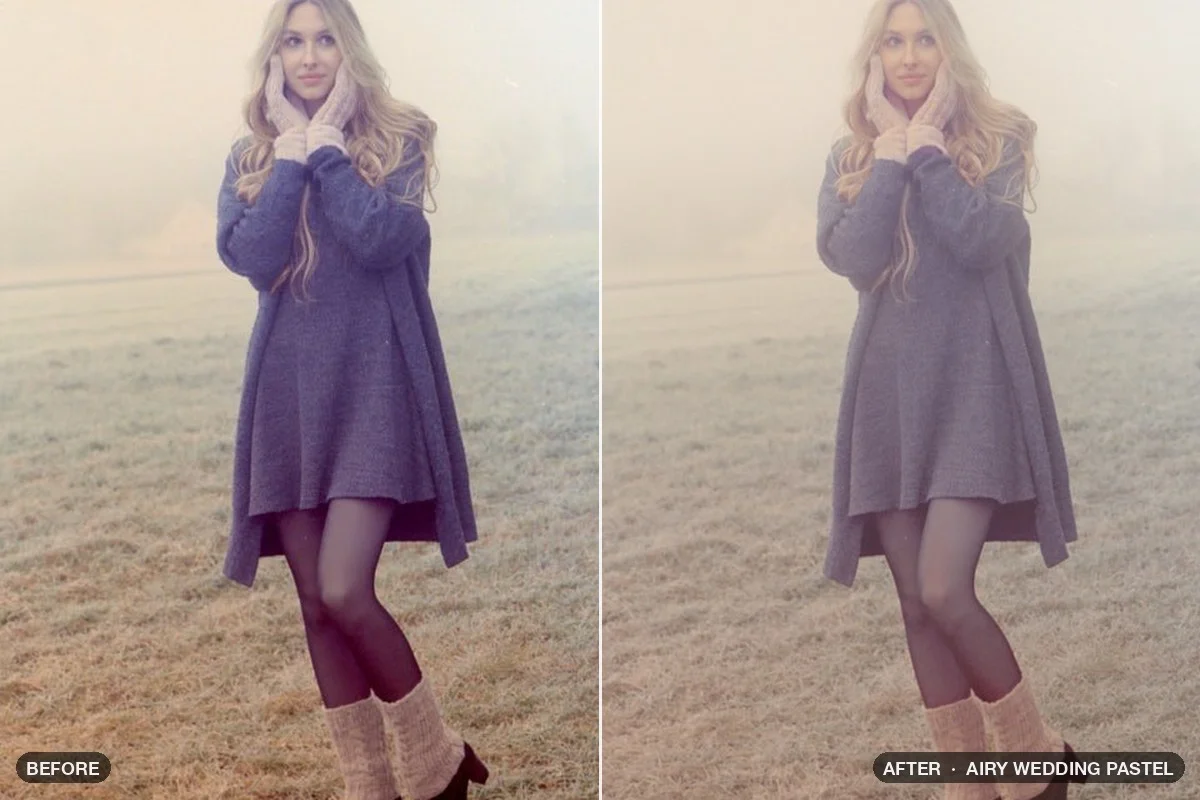
Download patch Hand-Tinted Photograph .nodra · 107 KBBright and soft: the photo is measured and lifted to the same brightness every time, colors turn pastel and skin stays warm.
Download patch Airy Wedding Pastel .nodra · 74 KBSkin, subject and background, each handled on its own.
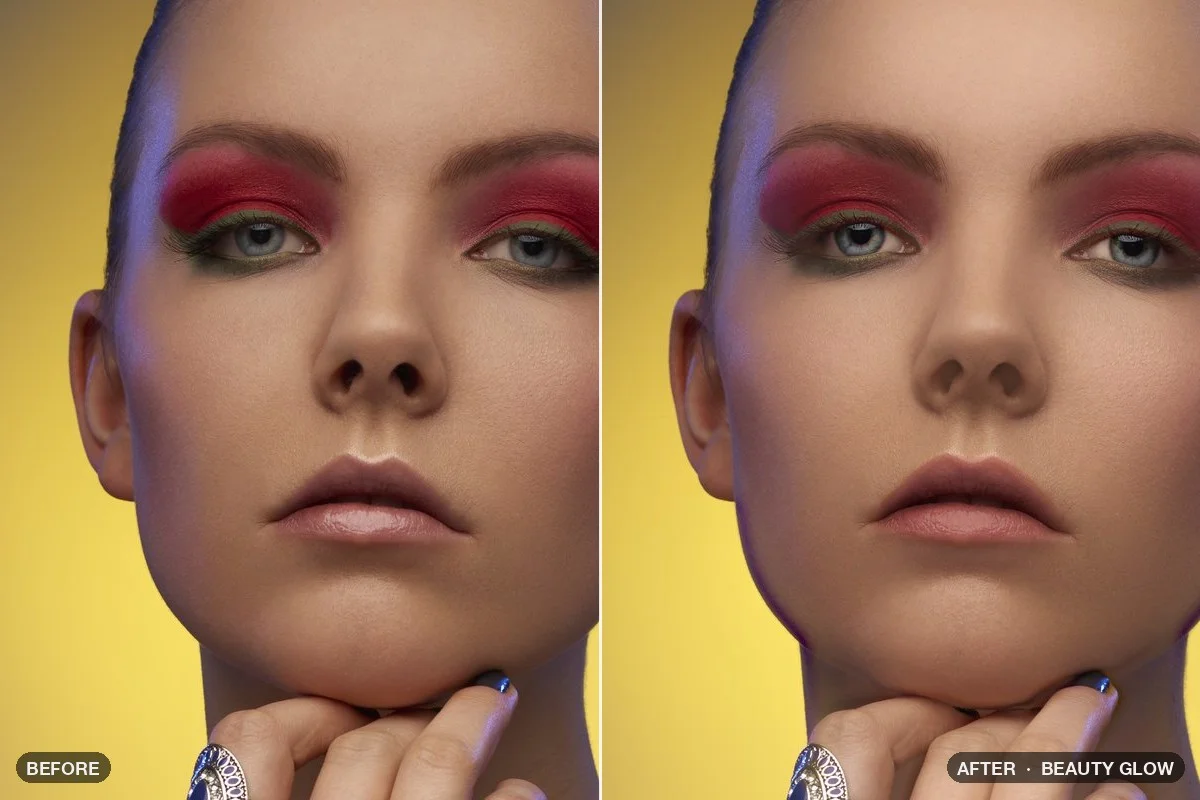
The high-end retouch as a graph: frequency separation smooths tone but keeps pores, skin gets a soft glow and the eyes clear up.
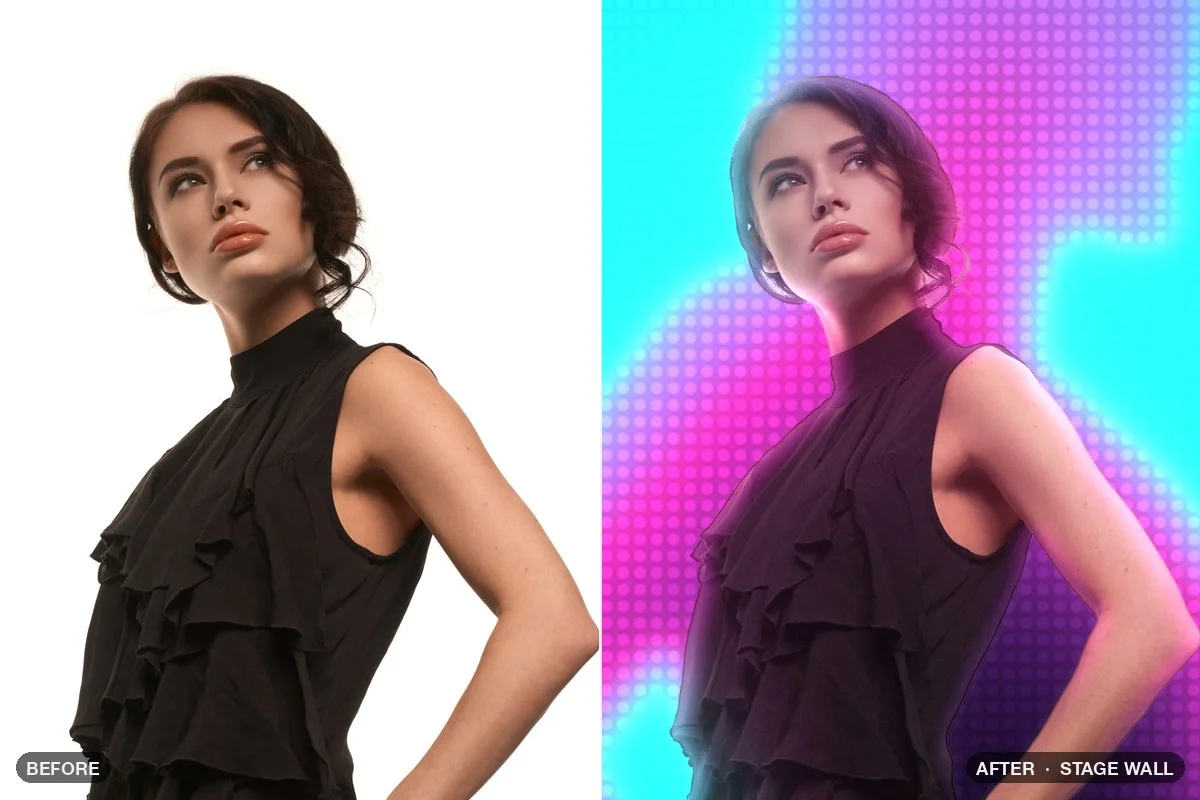
Download patch Beauty Glow .nodra · 58 KBThe person stays a photo, the background turns into a glowing LED wall with haze and colored light spilling onto the edges.
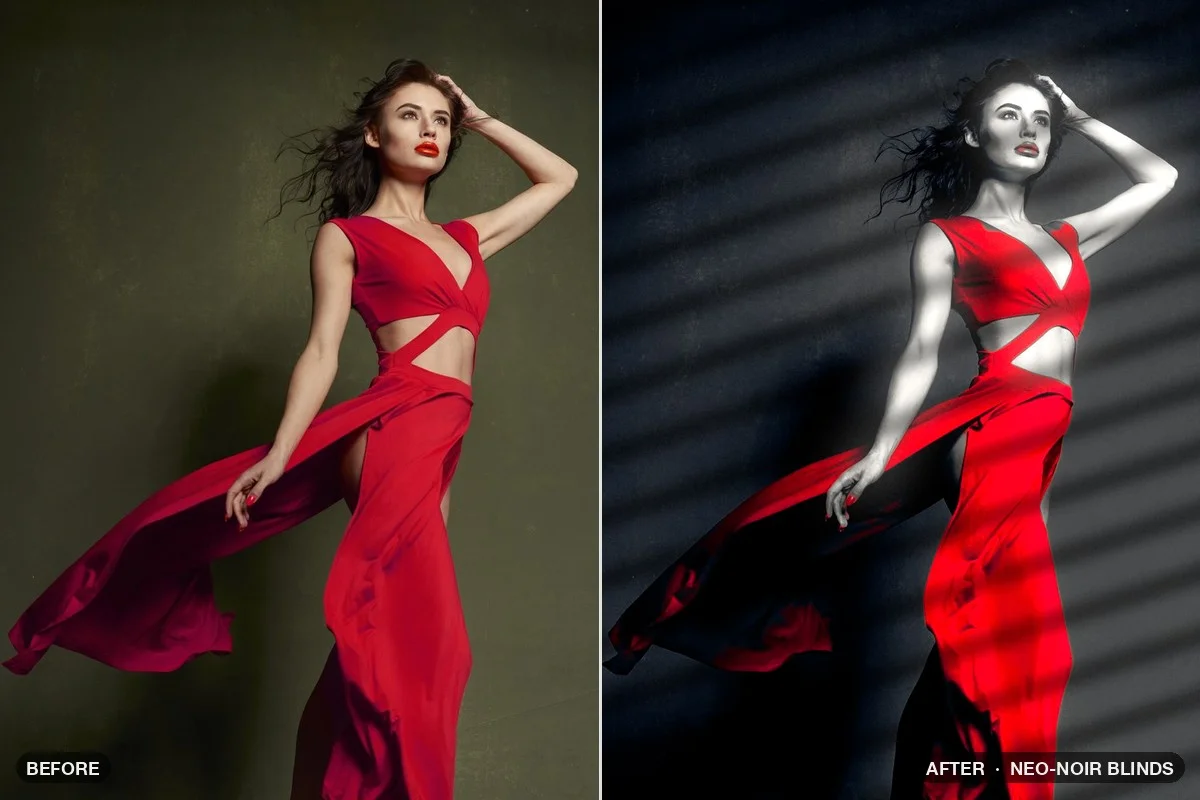
Download patch Stage Wall .nodra · 40 KBHard black-and-white noir with light falling through venetian blinds. One accent color of your choice survives.
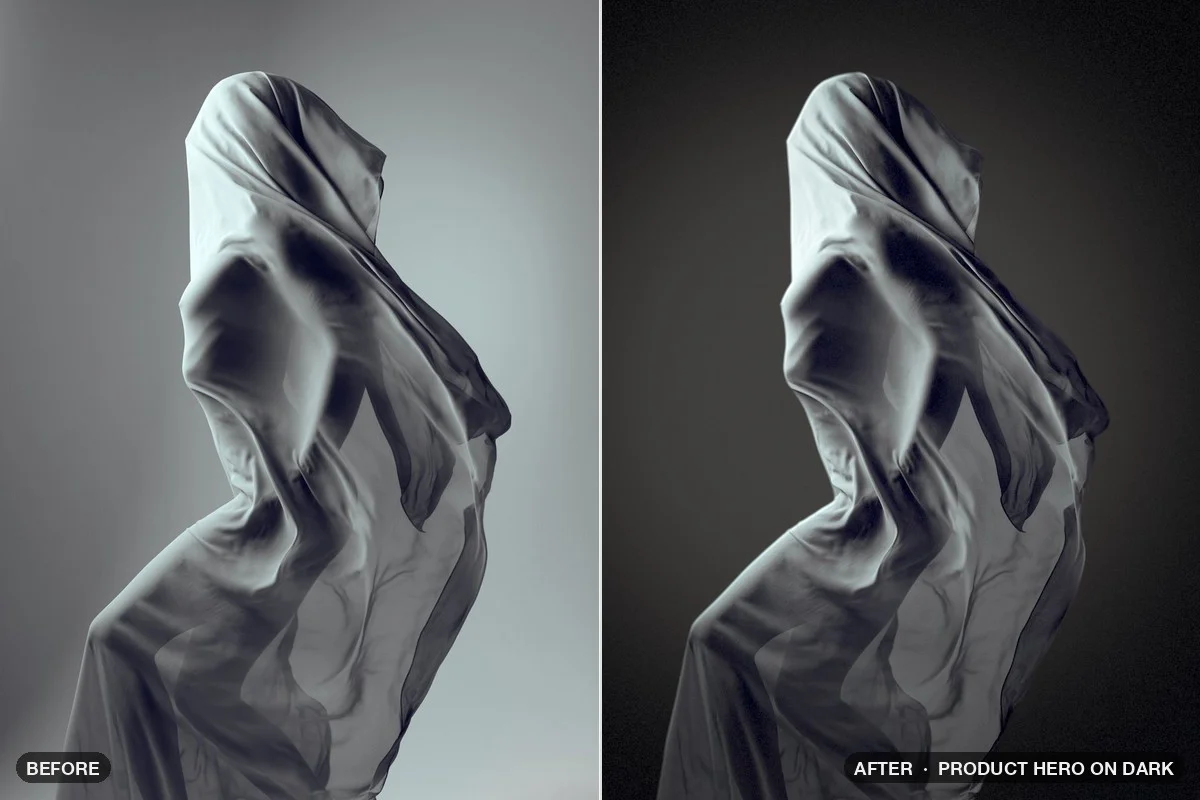
Download patch Neo-Noir Blinds .nodra · 66 KBA snapshot becomes a dark premium shot: the subject is cut out on your Mac and lit by a light you move with an XY pad.
Download patch Product Hero on Dark .nodra · 86 KBPrinting processes and old media, rebuilt step by step.
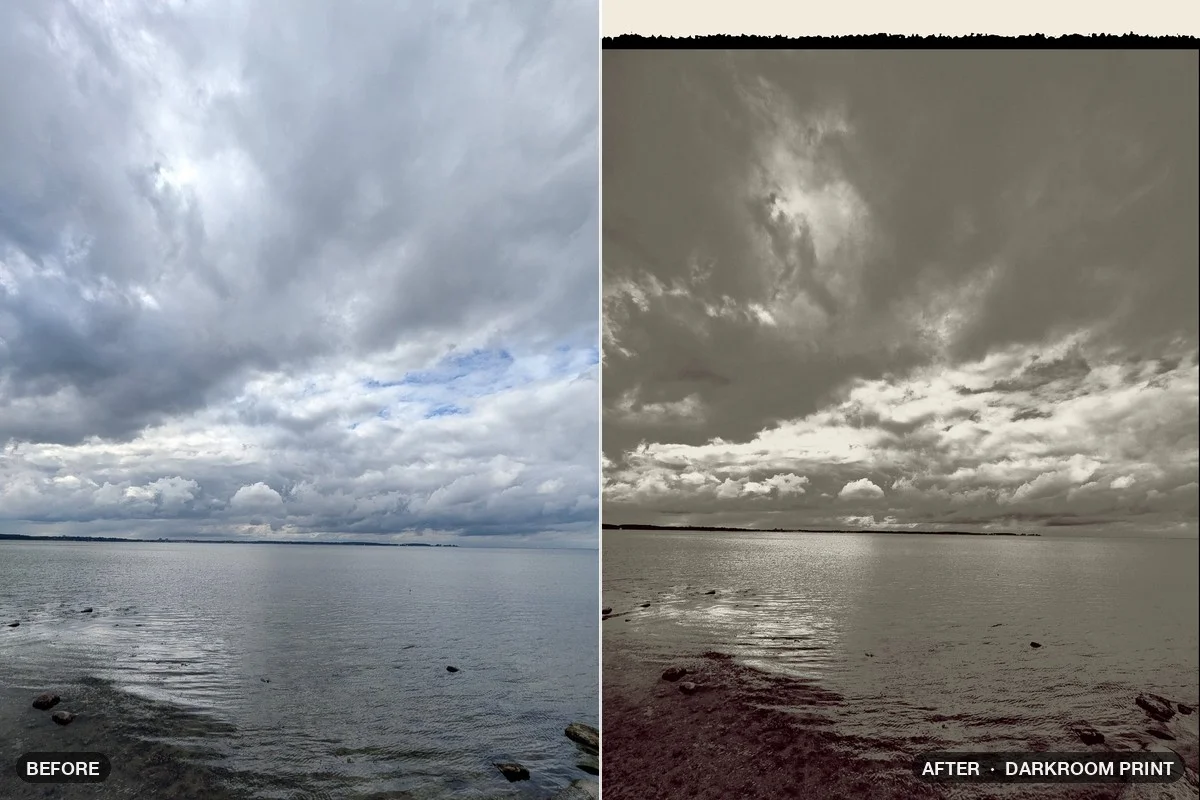
A hand-made silver print: the subject dodged, the sky burned in, selenium toning and the rough black edge of a filed-out negative carrier.
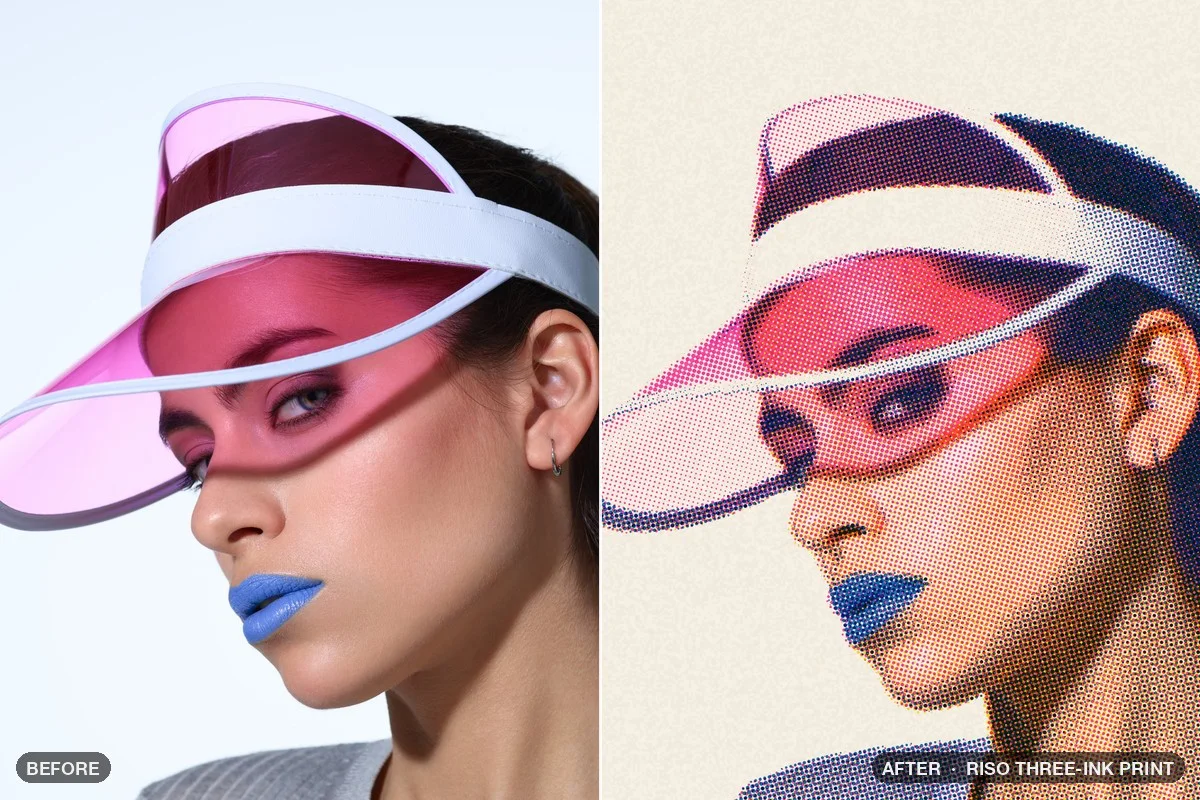
Download patch Darkroom Print .nodra · 66 KBA real three-ink risograph: the photo is split into three plates, each printed as its own halftone, slightly out of register.
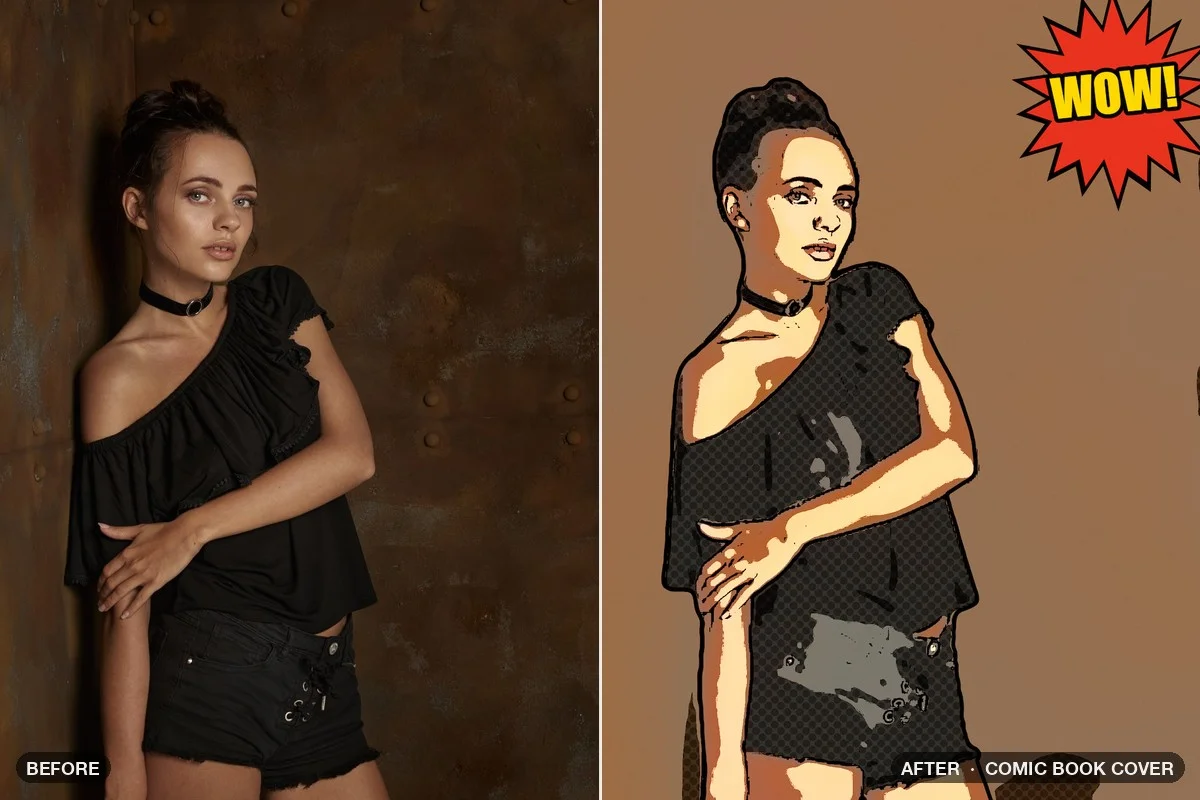
Download patch Riso Three-Ink Print .nodra · 52 KBFlat comic colors, ink lines that are bolder on the subject, Ben-Day dots in the shadows and a starburst with your own text.
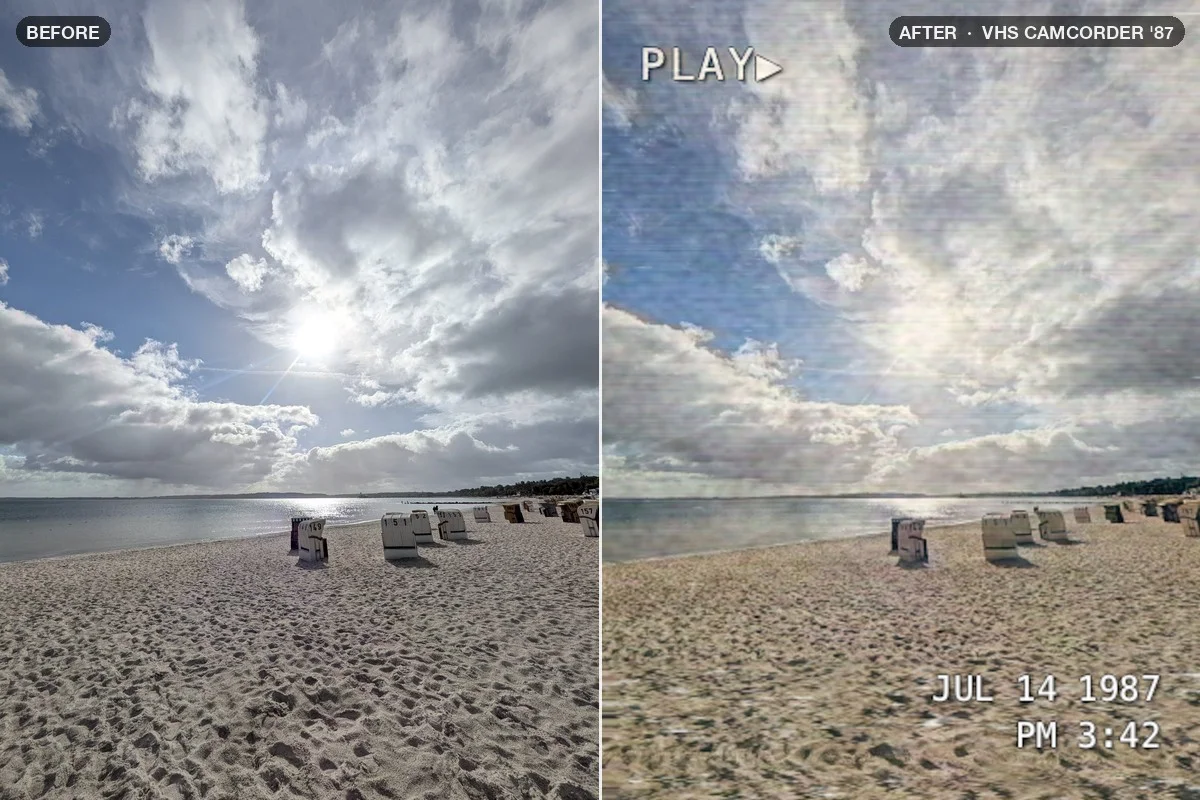
Download patch Comic Book Cover .nodra · 86 KBA frame from a 1987 home video: smeared color, tape noise, a tracking glitch and an on-screen date you type yourself. Switch on the CRT for scanlines.
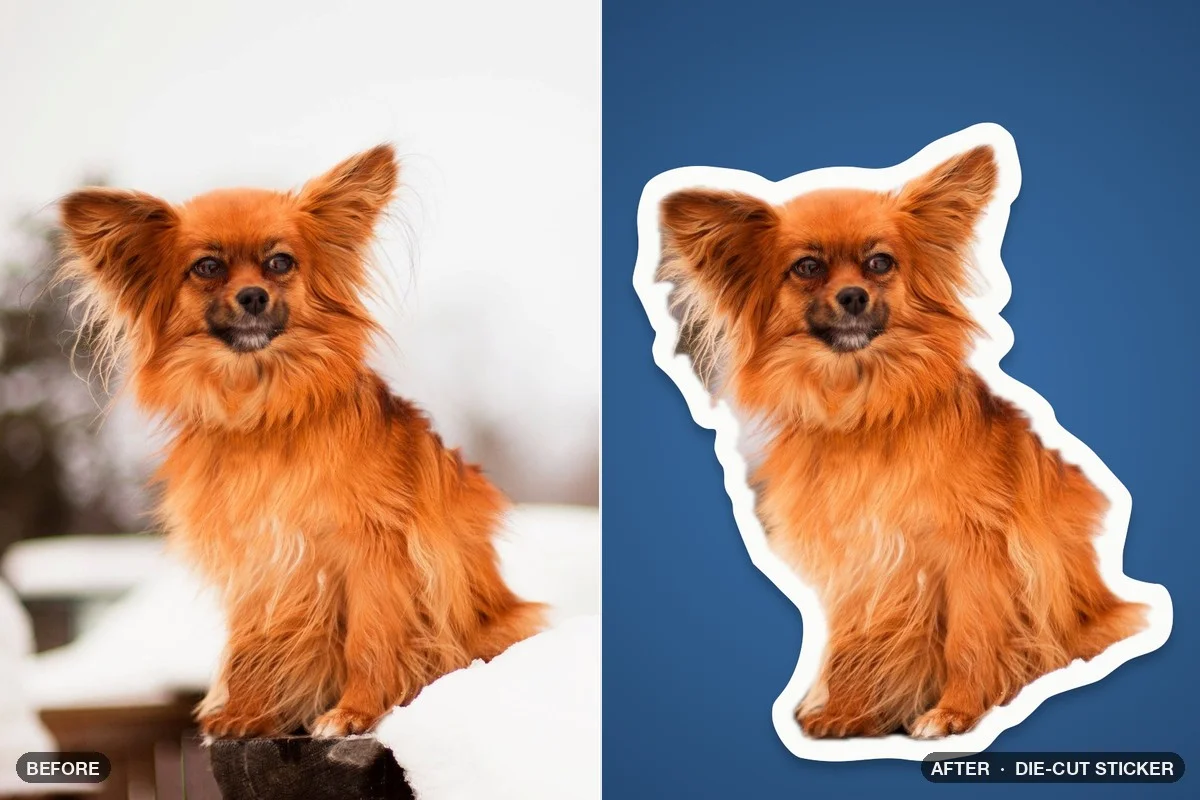
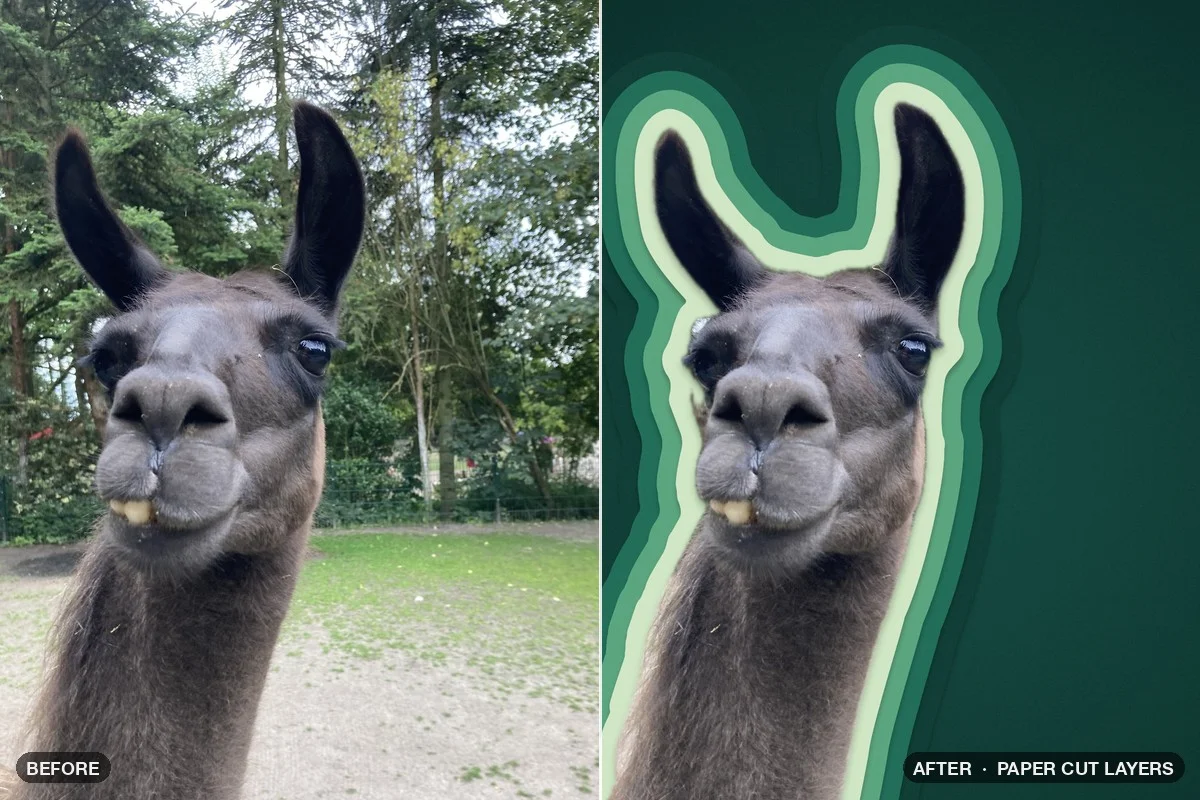
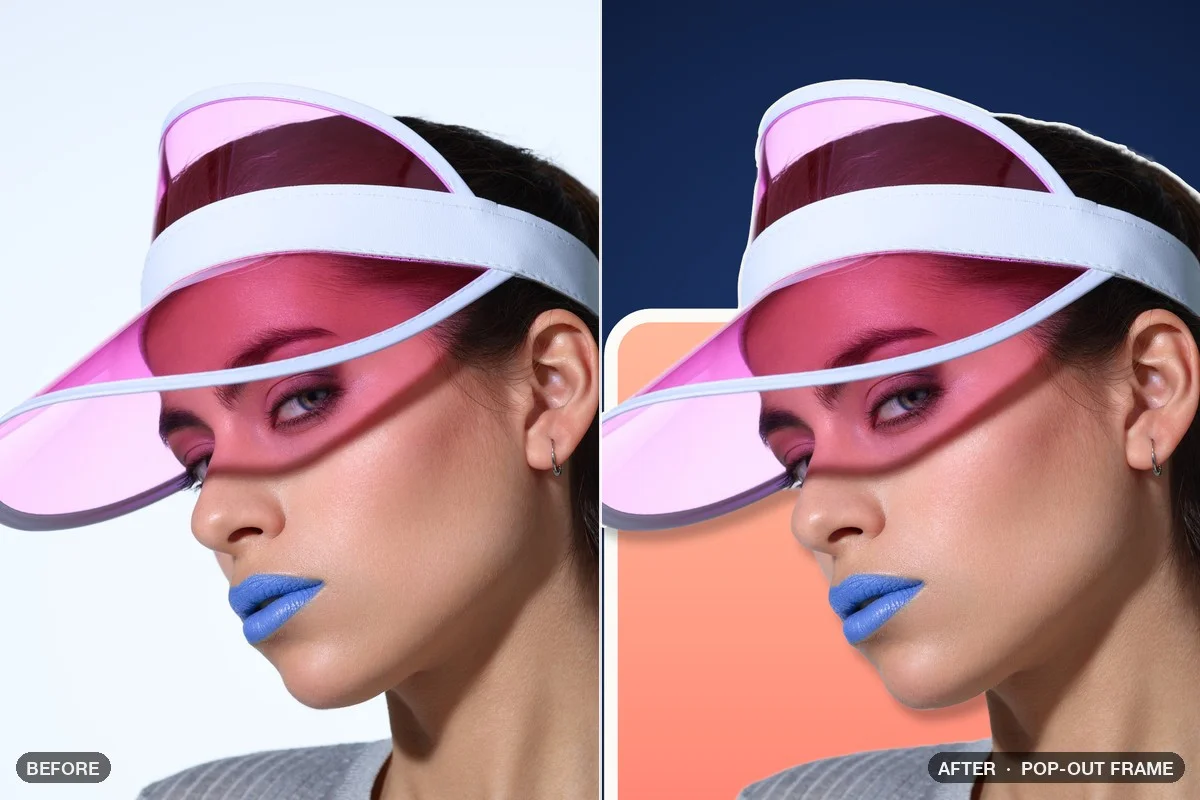
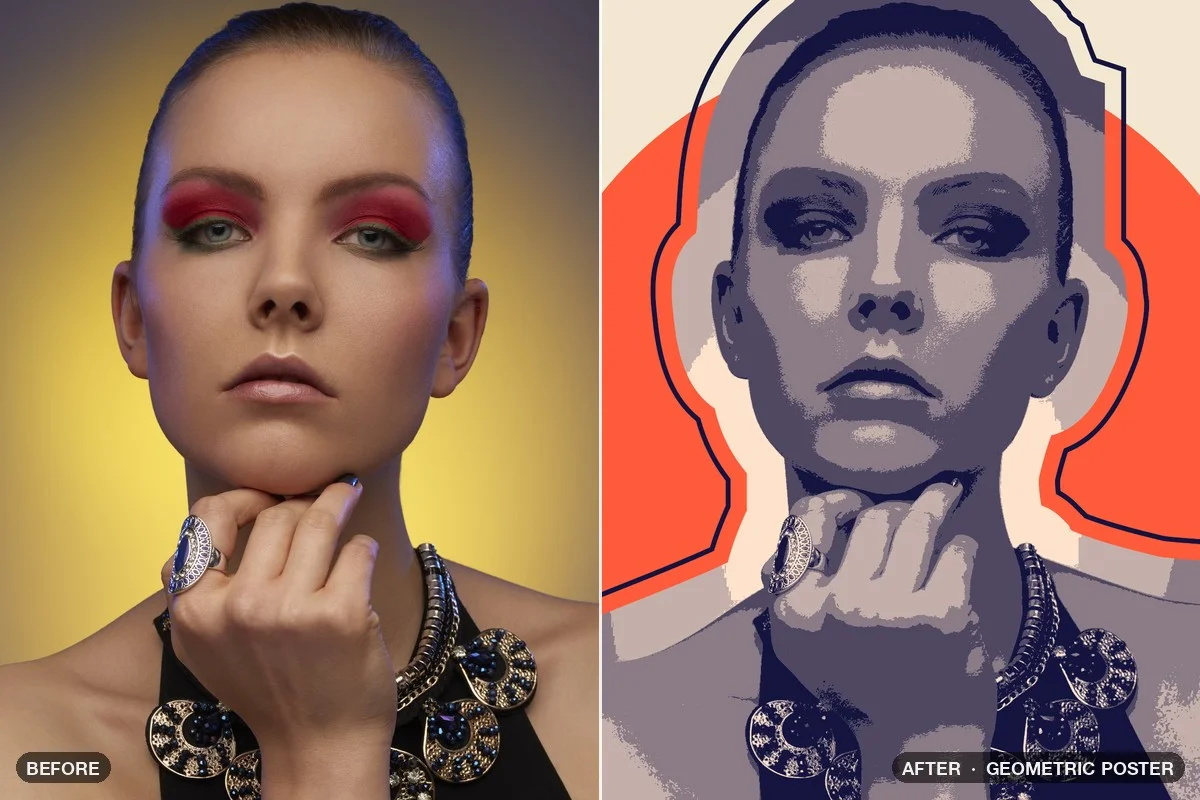
Download patch VHS Camcorder ’87 .nodra · 71 KBClean pen paths instead of pixel masks: the silhouette becomes a sticker edge, paper layers, a frame to break out of or a graphic poster.
The outline of your subject grows into a smooth white sticker border, like a plotter cut line, with a soft drop shadow on a new backdrop.
Download patch Die-Cut Sticker .nodra · 24 KBThe silhouette becomes a paper-cut diorama: four offset and rounded rings turn into stacked sheets of coloured paper with shadows between them.
Download patch Paper Cut Layers .nodra · 48 KBThe subject steps out of a rounded frame: Combine Paths finds the part that reaches beyond the border and gives it a fine edge and a shadow.
Download patch Pop-Out Frame .nodra · 35 KBThe silhouette is reduced to bold facets, the photo inside is broken into flat duotone areas, and a big circle sits behind it.
Download patch Geometric Poster .nodra · 34 KBCutouts down to single strands of hair, masks drawn as pen paths, and two effects for any photo.
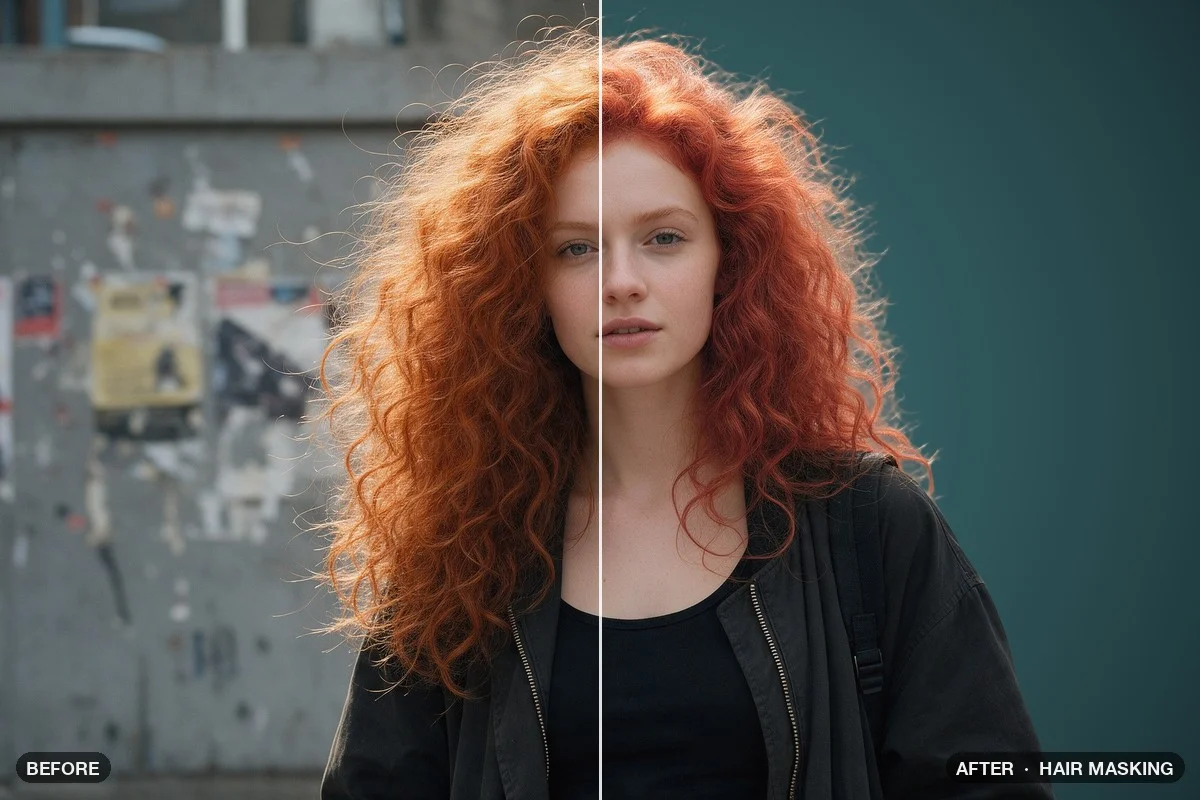
Studio Cutout keeps every strand while the busy wall behind is swapped for a studio backdrop. A separate hair mask lets you recolor only the hair.
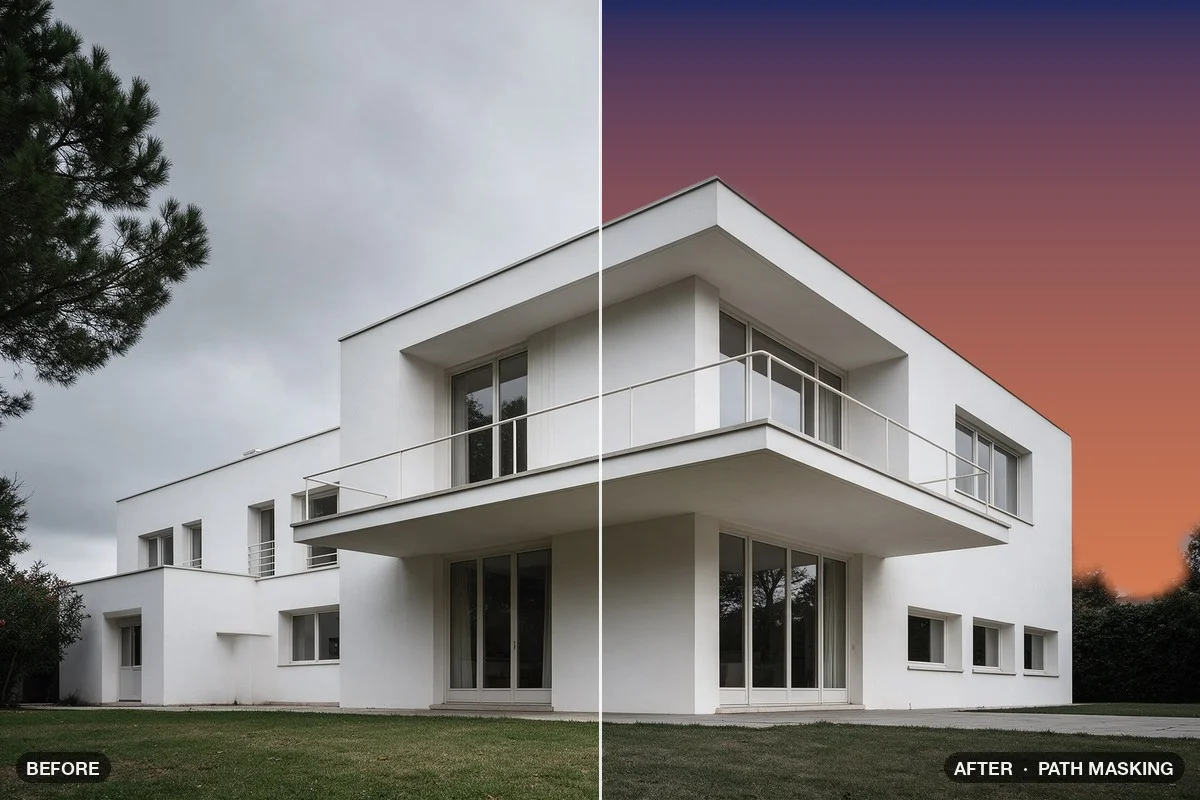
Download patch Hair Masking .nodra · 12 KBMask to Path traces the building along its real edges as a clean pen path with straight lines. The sky turns to dusk, and the same path goes to Photoshop.
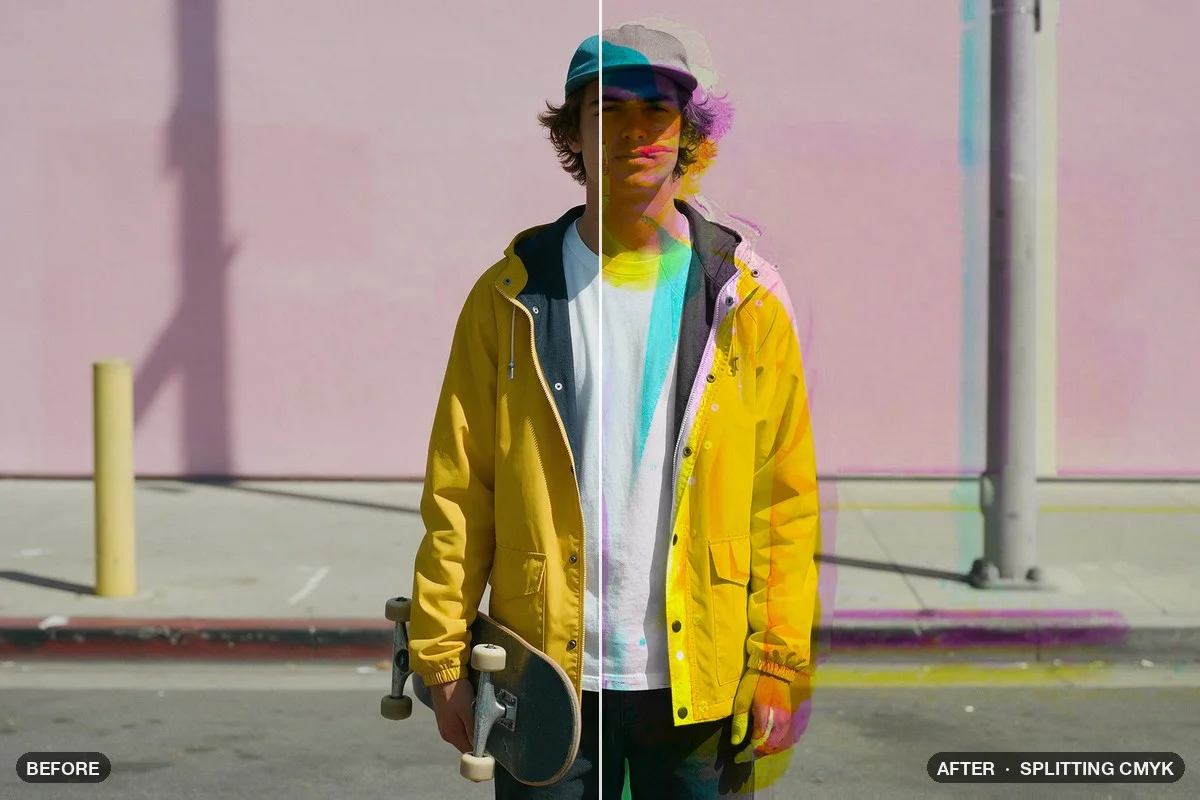
Download patch Path Masking .nodra · 17 KBA print that slipped out of register: the photo is split into cyan, magenta, yellow and black plates, each one moved a few pixels, then printed on top of each other again.
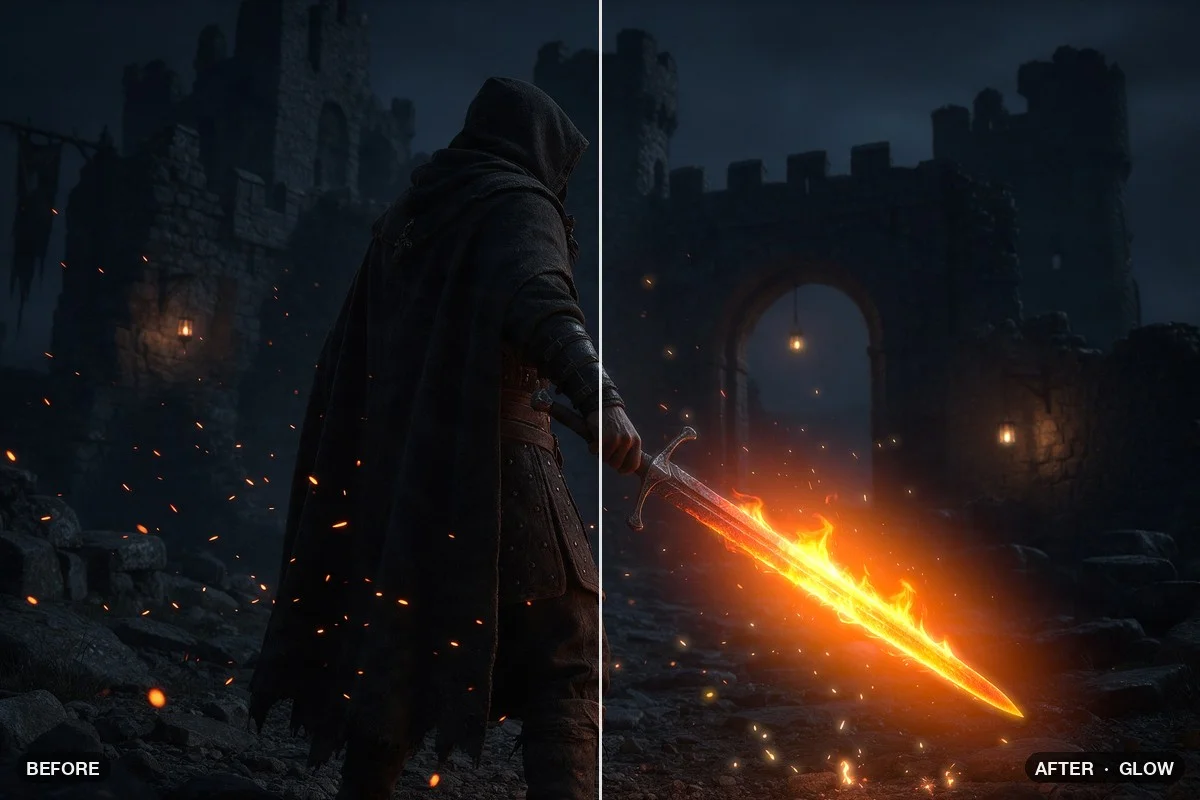
Download patch Splitting CMYK .nodra · 14 KBFlames, sparks and lamps start to glow: a tight bloom at the core and a wide, warm halo. Only bright areas glow, the shadows stay as they are. Works for fire, neon and light sabers.
Download patch Glow .nodra · 8 KBSimple base grades to start from.
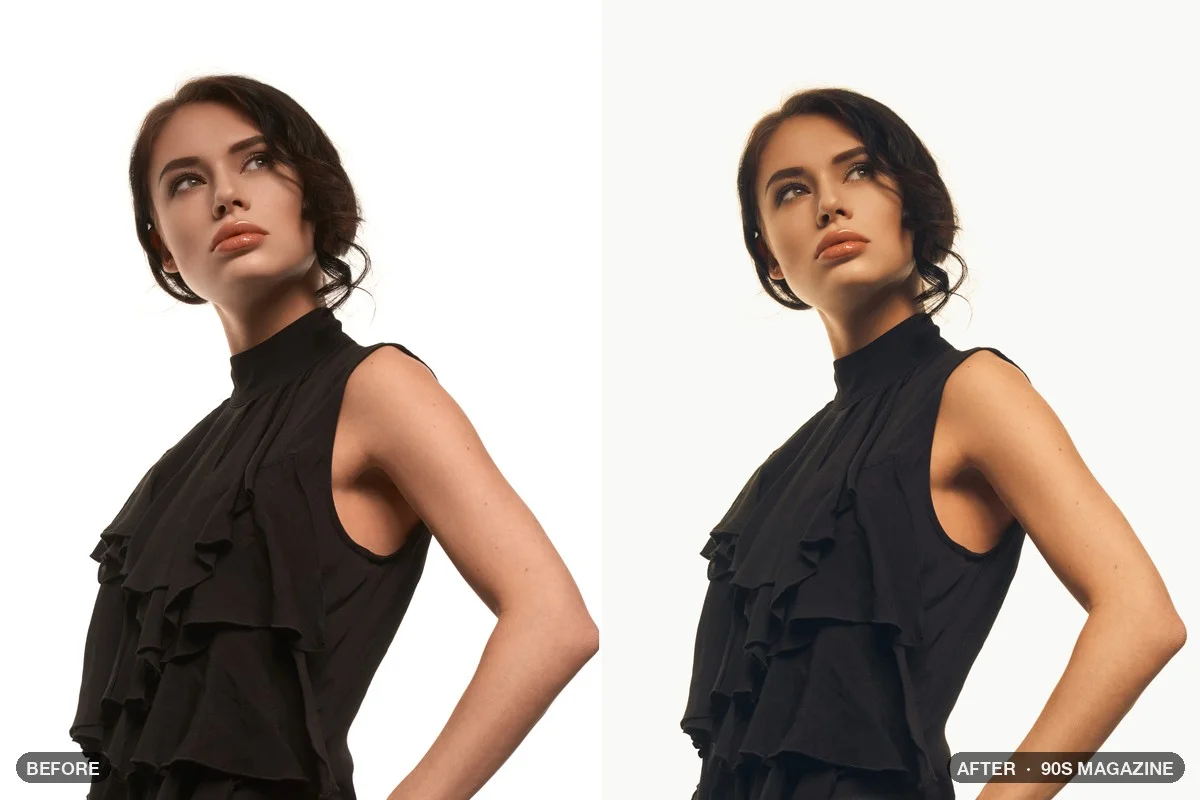
A 90s editorial look: warm, soft film colors, lifted matte blacks, medium-format grain and a white border.
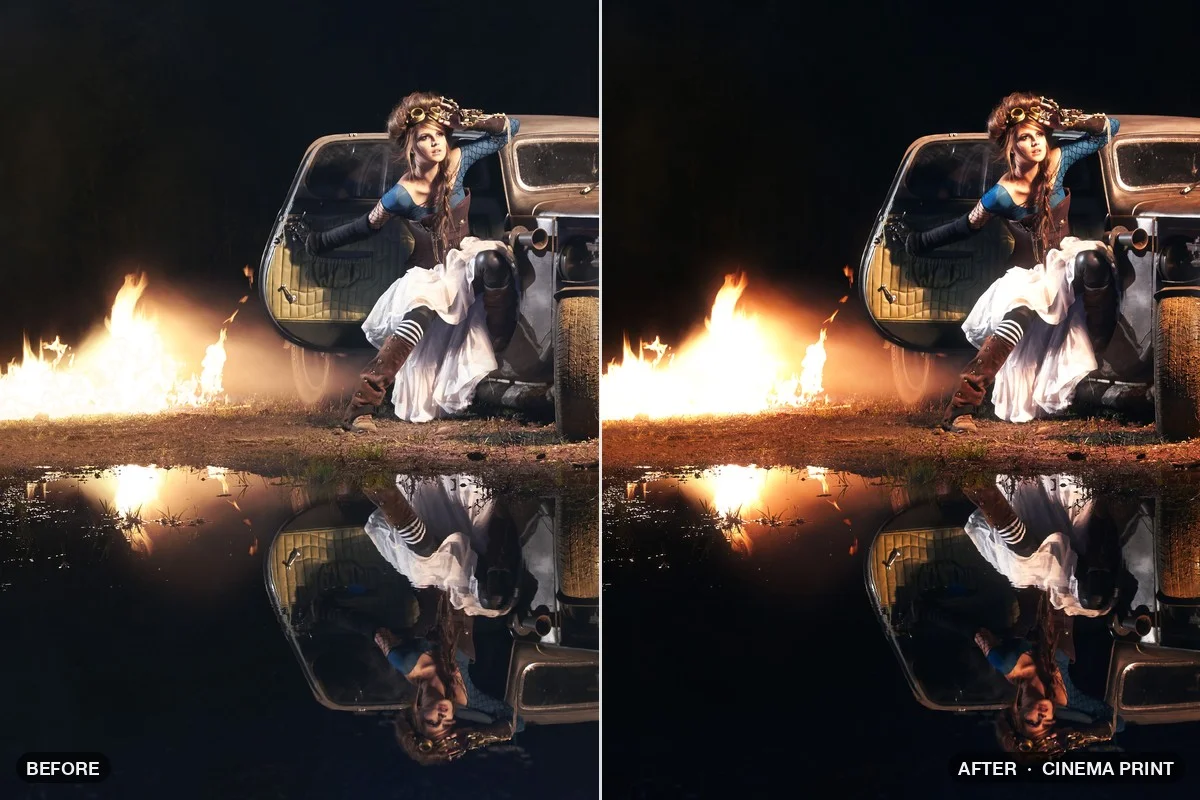
Download patch 90s Magazine .nodra · 10 KBA cinema print chain in one Sub-Patch node: printer lights, dye crosstalk, a filmic curve, halation and a gentle vignette.
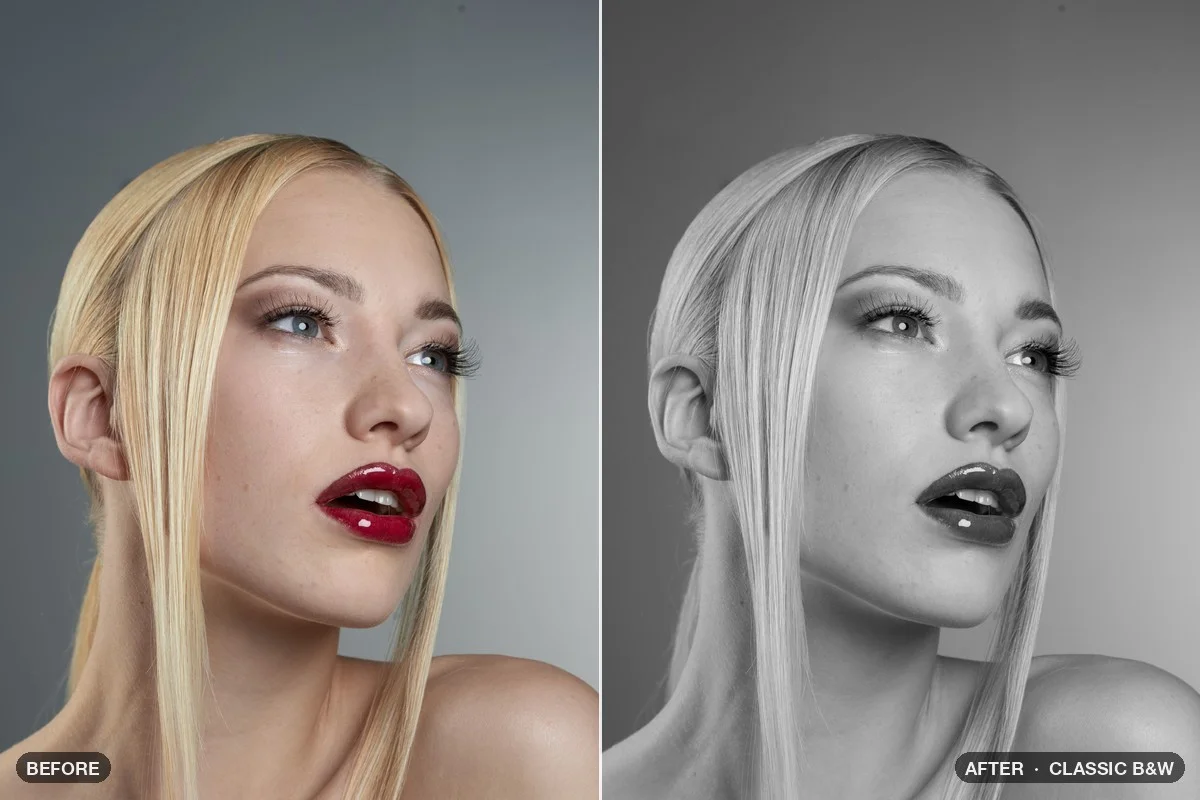
Download patch Cinema Print .nodra · 10 KBTrue black and white with the response of panchromatic film and a simulated lens filter.
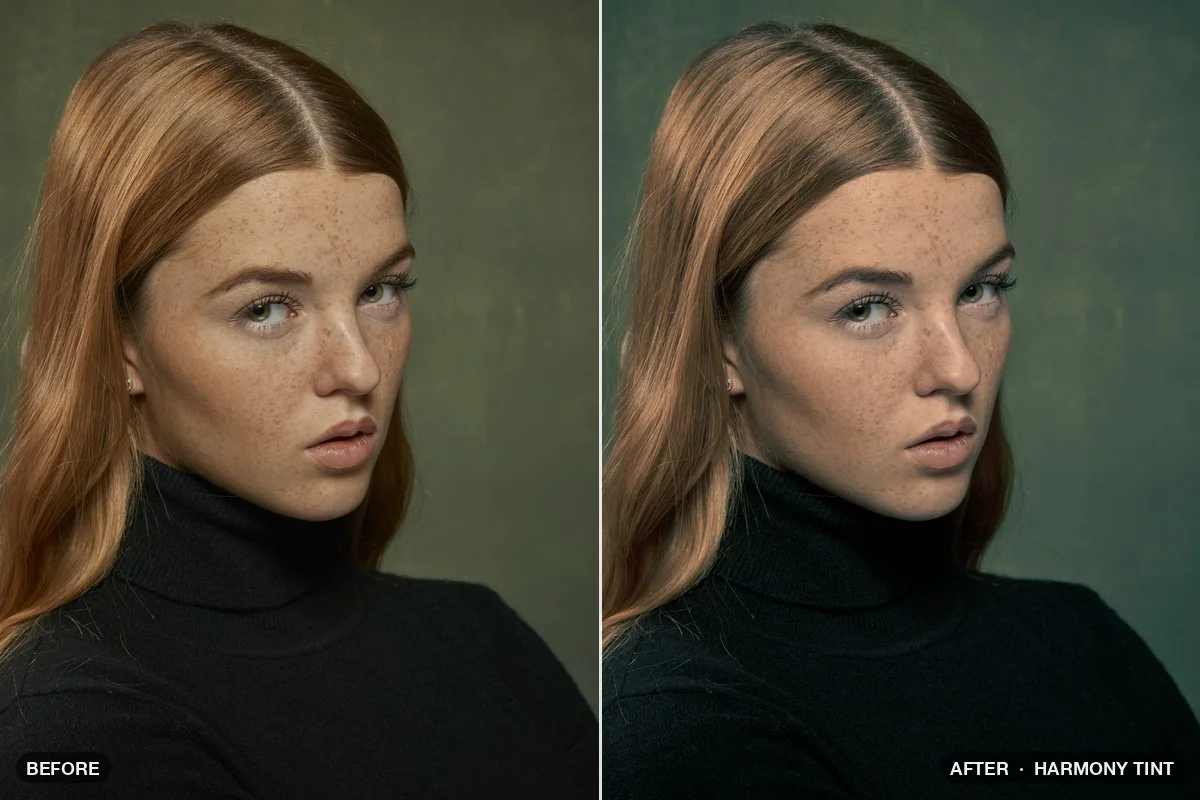
Download patch Classic B&W .nodra · 5 KBColor Harmony finds the complementary partner of a color; a Gradient Map puts the pair into shadows and highlights.
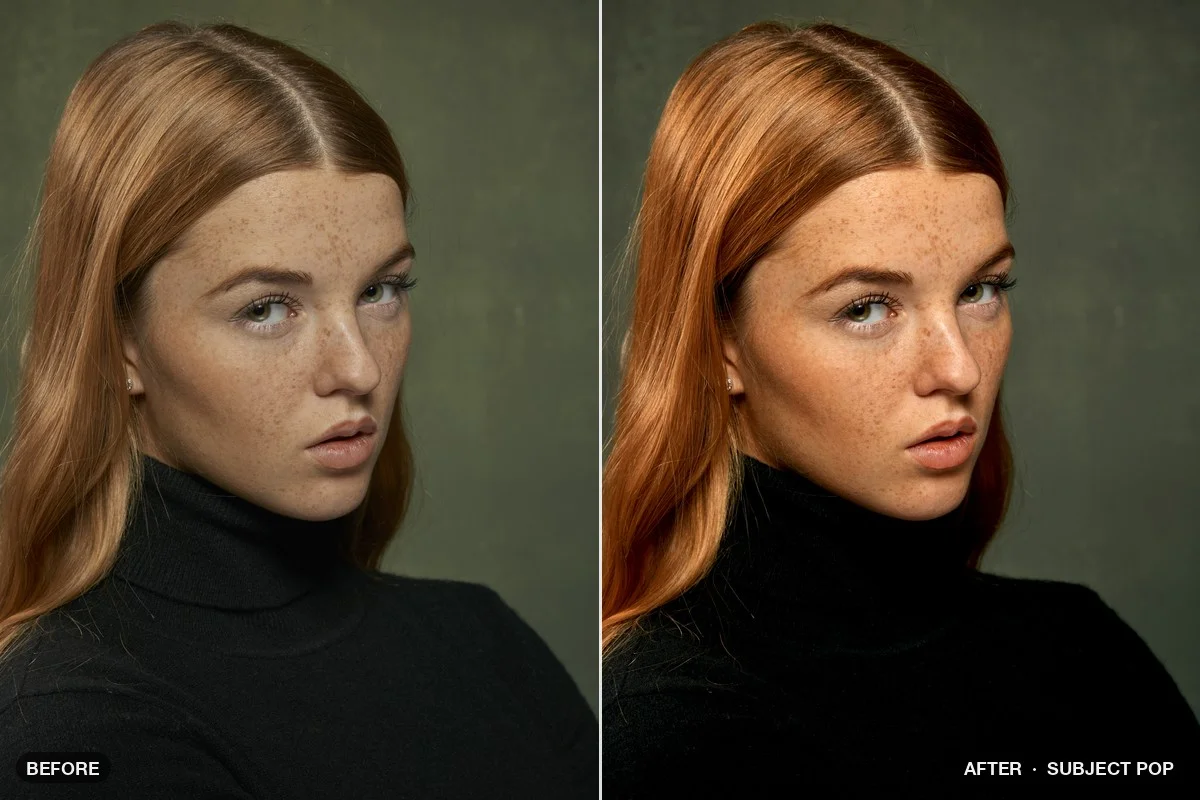
Download patch Harmony Tint .nodra · 6 KBPerson Mask separates people from the backdrop on your Mac: a calmer, darker background and a little more light on the person.
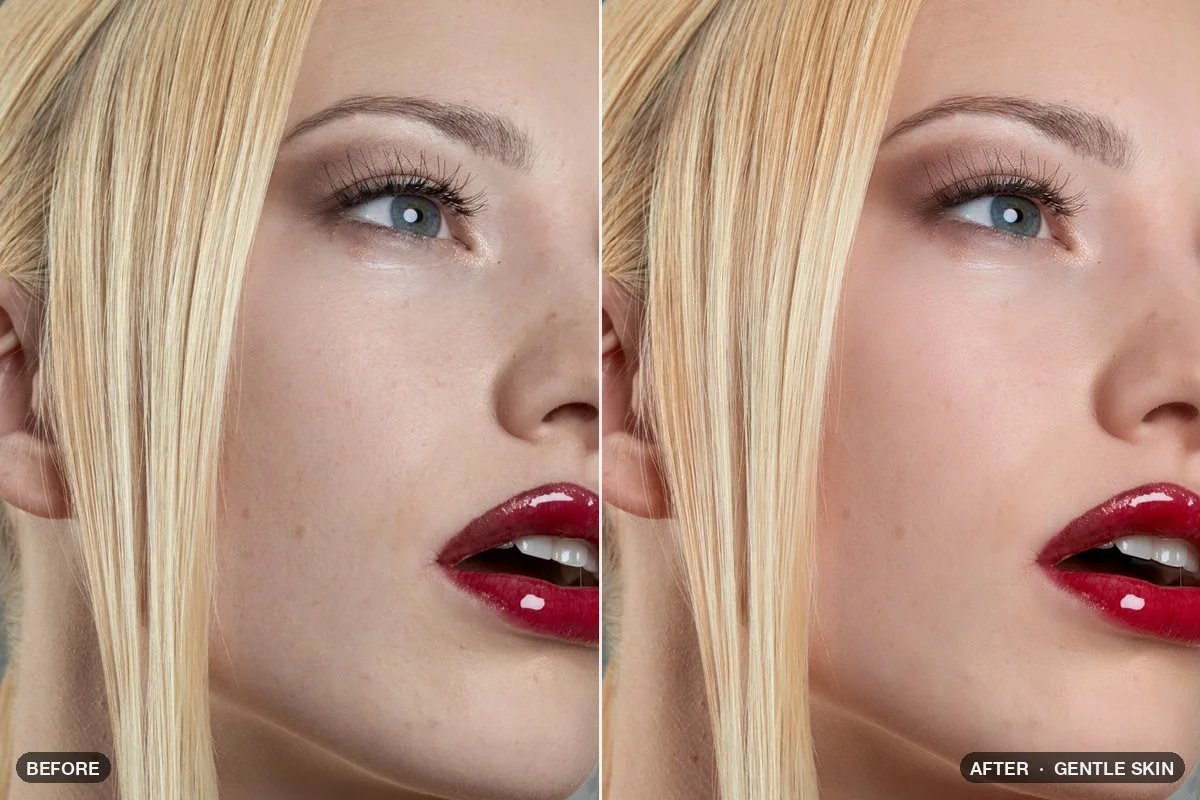
Download patch Subject Pop .nodra · 8 KBFrequency separation: only the color layer is smoothed, so pores and fine texture survive.
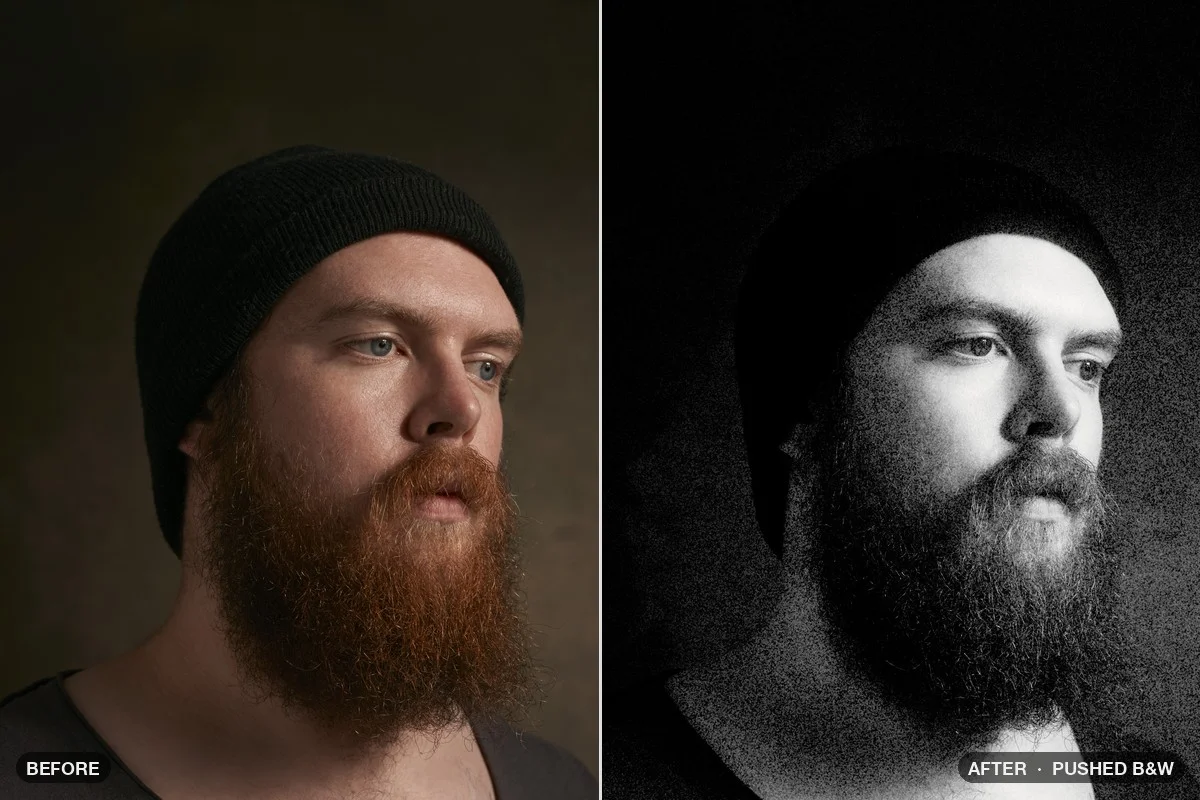
Download patch Gentle Skin .nodra · 6 KBPushed black-and-white film: hard contrast, deep blacks and coarse, visible grain that stays in the highlights.
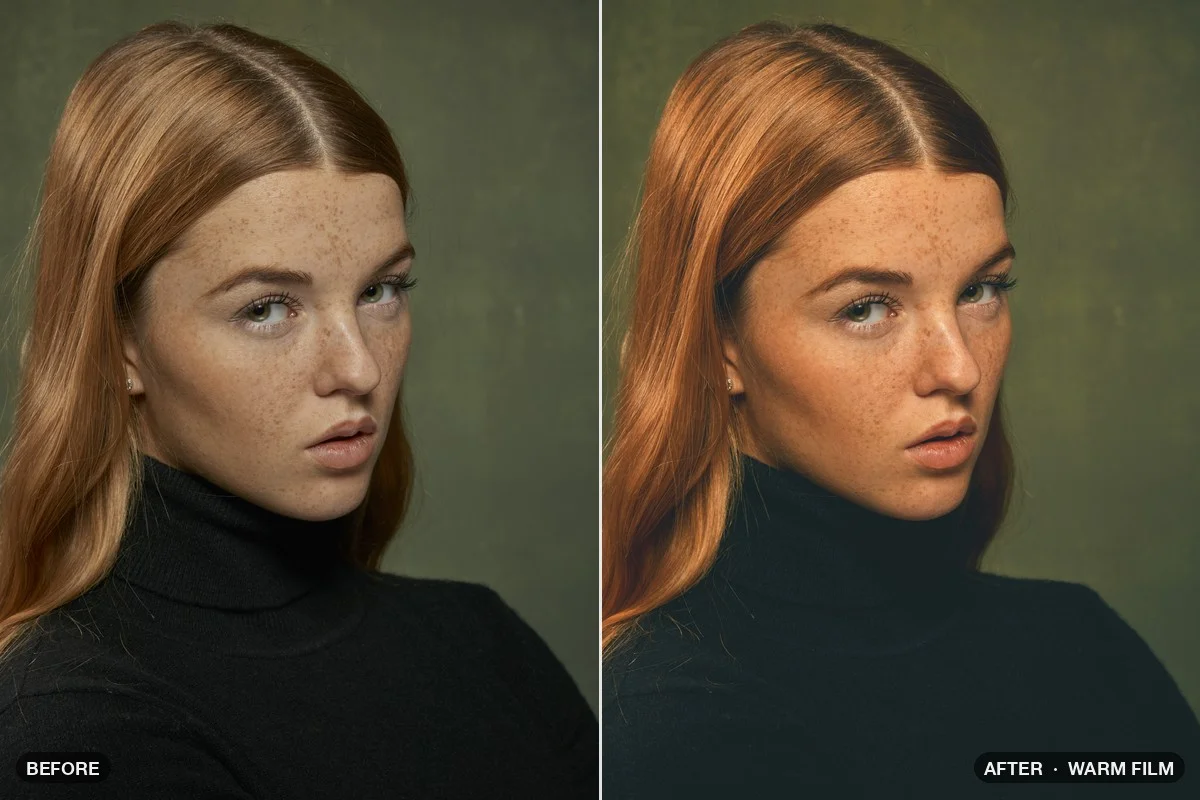
Download patch Pushed B&W .nodra · 10 KBA warm base grade with a matte curve, teal shadows, warm highlights and fine film grain.
Download patch Warm Film .nodra · 15 KBSoft gradients in skies and skin stay soft; you’ll hardly ever see banding.
Adobe RGB, Display P3 and ProPhoto colors aren’t clipped on import.
Package nodes as one reusable block.
A built-in MCP server lets assistants like Claude build patches with you. What you type, and any previews the assistant looks at, go to the assistant’s provider. Nodra’s own AI nodes never leave your Mac.
| Computer | Mac with Apple silicon, macOS 26 or later |
|---|---|
| Photoshop | Not needed for Nodra itself. Exported panels and the free Player need Photoshop 2023 (24.2) or later on Mac – they do not run in Photoshop on Windows. |
| Nodes | 307 nodes with a short description each: see all nodes |
| File formats | Opens PNG, JPEG, TIFF, OpenEXR, WebP, HEIC, PSD, PDF, SVG and camera RAW; saves PNG, JPEG, TIFF, OpenEXR, WebP and layered PSD; reads and writes LUT files: see the file formats |
| Internet | To activate your license and to confirm it every 10 days |
| License | One-time payment · Personal license for 3 computers |
| Price | |
| Payment | One-time payment. No subscription, nothing renews automatically. |
A Mac with Apple silicon and macOS 26 or later. Nodra does not run on Windows or on Macs with Intel processors.
No. Nodra is a standalone Mac app. Photoshop 2023 (24.2) or later is only needed for the panels you export and for the free Infinite Nodra Player.
No. Exported panels and the free Player run in Photoshop on Mac only.
No. The AI nodes run on your Mac: nothing gets uploaded, you don’t need an account, and nobody charges you per image. Only if you work with an AI assistant through the built-in MCP server, what you type and the previews the assistant looks at go to the assistant’s provider.
Nodra opens PNG, JPEG, TIFF, OpenEXR, WebP, HEIC, PSD, PDF, SVG and camera RAW files, and saves PNG, JPEG, TIFF, OpenEXR, WebP and layered PSD files. The full list, with bit depth and color profiles, is on the file formats page. For a list of every node, see all nodes.
No. You pay once: there is no subscription, and nothing renews automatically. The personal license covers 3 computers.
The personal license covers 3 computers. Nodra needs an internet connection to activate the license and to confirm it every 10 days.
Nodra checks for updates when it starts and then once a day. When a new version is out, a note appears in the status bar at the bottom of the window: click it to download the update, or click “What’s new?” to see what changed. To check yourself, choose Options → “Check for updates…”.
You also find the latest version in your Account: sign in with the email address you used for your purchase, and we send you a 6-digit code.
To install it, quit Nodra and replace the old app in your Applications folder with the new one. Your license and your patches stay as they are.
All updates within version 1 are free. Nodra 1.1 came out on 16 October 2026, free for everyone who bought 1.0.
Nodra edits every image on your own Mac. Nothing is uploaded and you need no account to edit. The only exception is the API node, which you add to a patch on purpose to use a web service. The panels you build with Nodra go further: they cannot connect to the internet at all, so the people who use them keep their images on their own Mac.
Every node computes on your Mac, the AI nodes included. Only the API node sends data elsewhere, and only to the service you choose. You download an AI model with one click when you want it, and from then on it works without an internet connection.
A panel you export and hand to a client cannot connect to the internet at all: Photoshop grants it no network permission, and it contains no license check. Your client’s images, file names and settings never leave their Mac.
On the internet, the free Infinite Nodra Player connects to one server only: our license server, to activate and confirm its license. If you link it with Nodra, it also talks to Nodra on the same Mac. It sends the license key, a machine ID, the computer’s name and the version number. It never sends images, file names or patches.
Two nodes can use the internet on purpose: the API node, which sends data to a web service you choose, and the RTMP input, which receives a live stream. In Nodra they ask before the first connection to each server. In exported panels and in the Player they are blocked and send nothing.
Nodra itself goes online only to activate and confirm your license, to check for updates, and for AI models: to show which models are available and to download the ones you pick. API keys for web services stay in your Mac’s keychain and are never saved in a patch.
Download this statement as a PDF to pass on to your clients · Deutsche Fassung (PDF)
Infinite Nodra · License for 3 computers